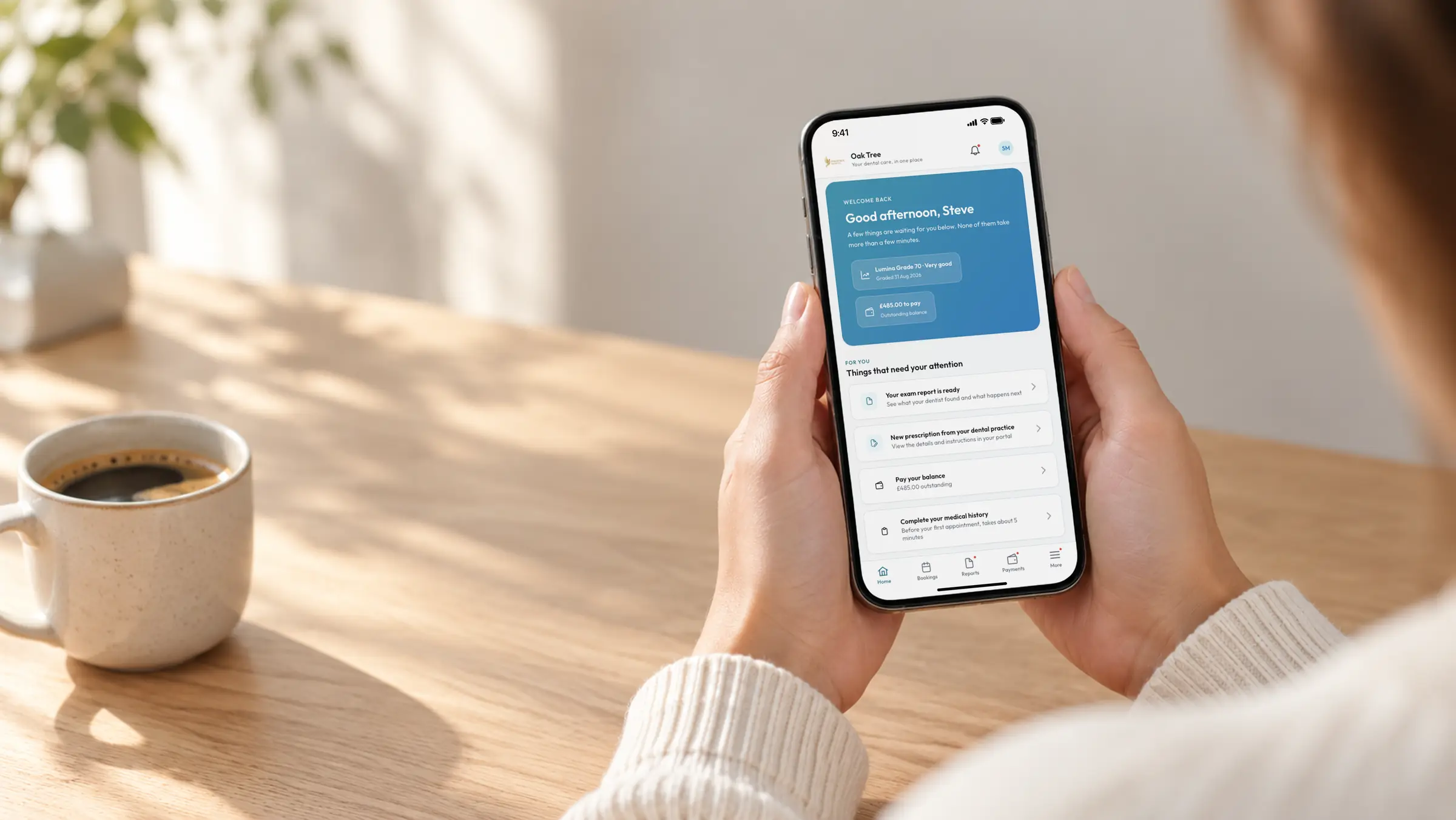

A patient portal that is part of your system.
Patients book, confirm, fill in their medical history, sign consent, read exam reports and pay from their phone, and it all lands in your record.
Included on every plan · No passwords · Your logo on every page
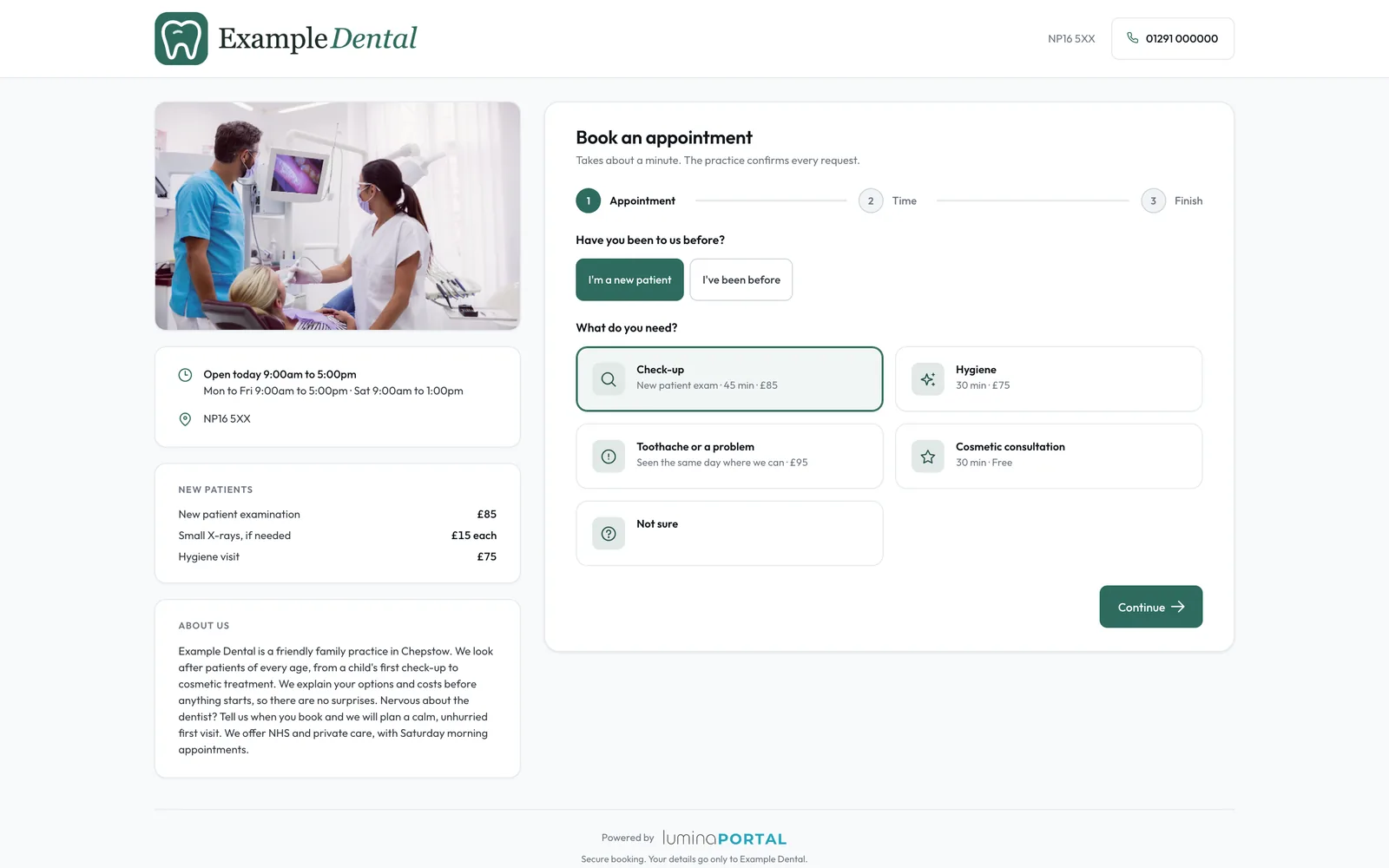
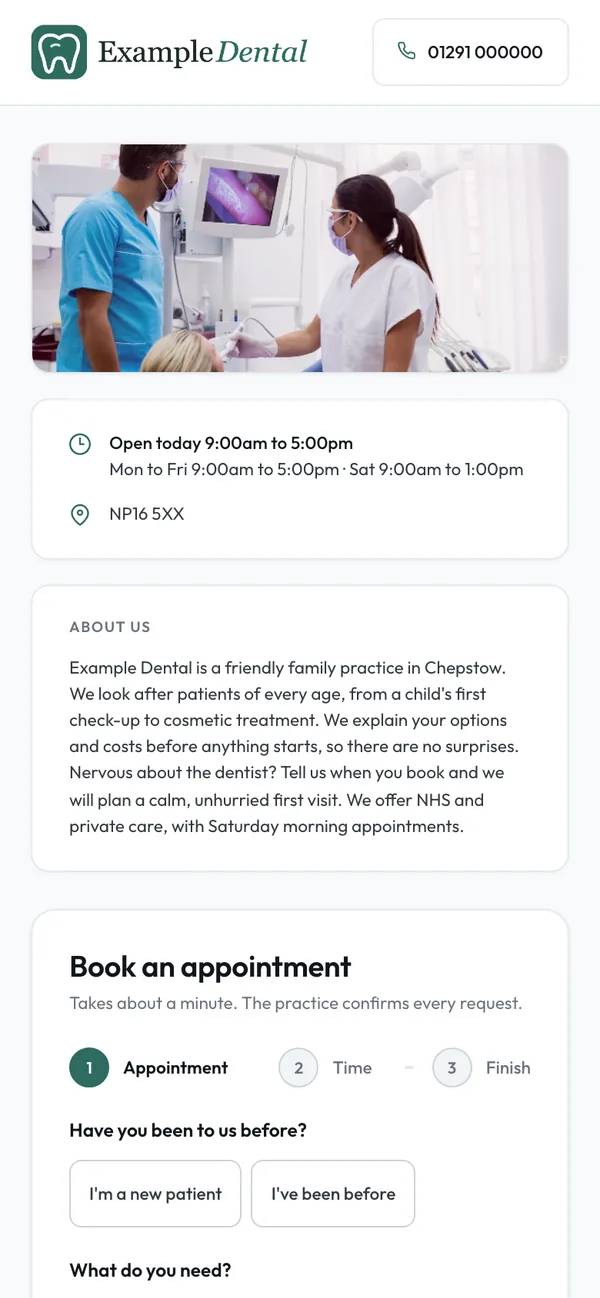
Your own booking page for new patients.
New patients find a page in your brand, with your photo, description, new-patient fees and rating, request a time, and approving creates their record and portal account.
- 1.1Your hours and rotaOnline times follow your opening hours and rota, inside the booking window you set.
- 1.2Deposits per appointment typeAsk for a deposit per appointment type, under your own terms, before the booking is confirmed.
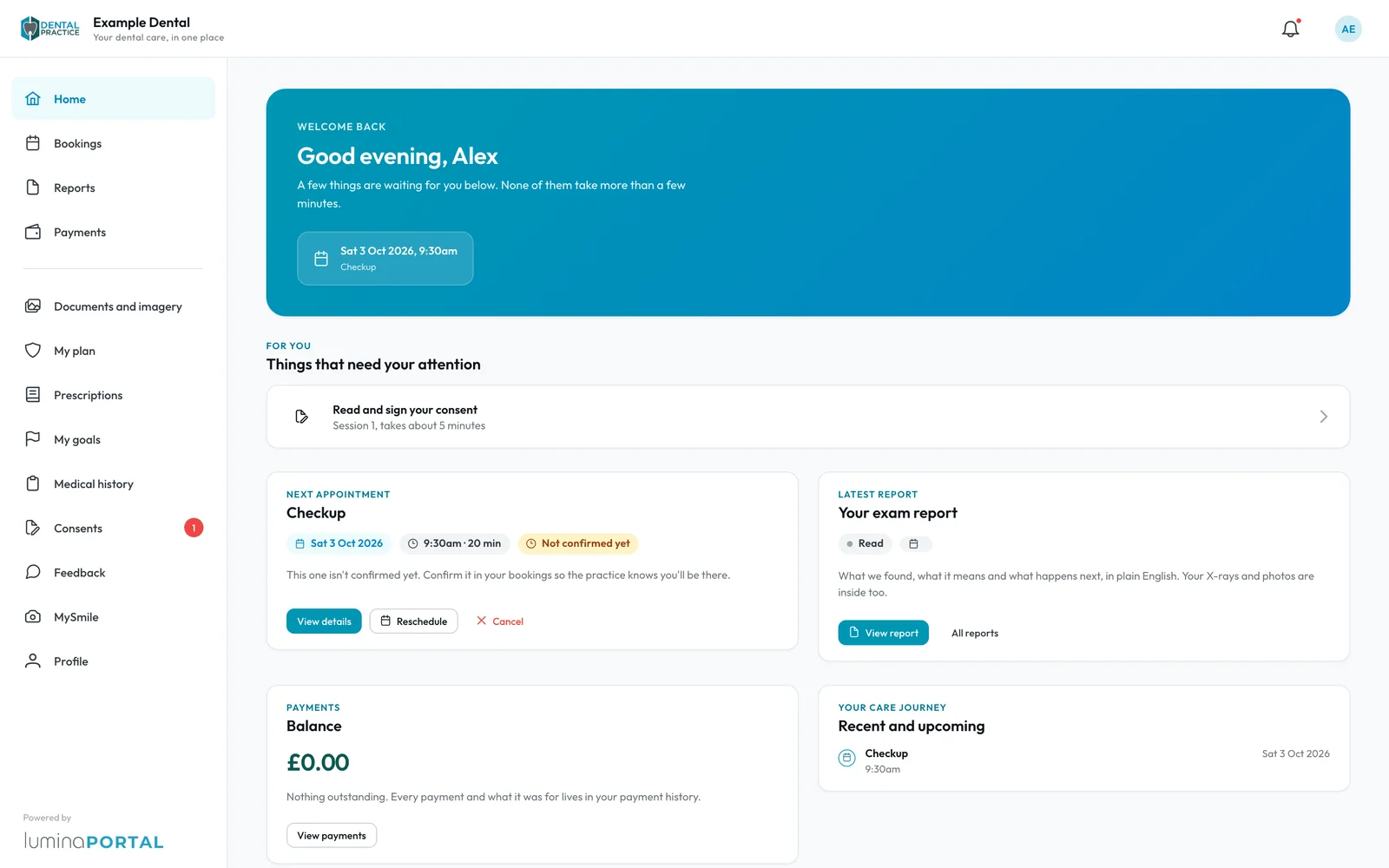
You approve every booking request.
Patients request, move or cancel from Bookings, nothing changes until you approve, and reminder emails and texts carry a one-tap Confirm with no sign-in.
- 2.1Any time that suitsPick an exact time, or say "I don't mind when" and give the days and times that work.
- 2.2Cancellations without a callCancellations outside your notice period can go through without staff. Reschedules always wait for you.
- 2.3In their calendarBooking emails carry Add to Google Calendar and a calendar file for Apple Calendar and Outlook.
The waiting-room forms, done from home.
Medical history and consent start on the patient's phone and land in Core ready for review.
Medical history, kept current
Answers save as they go, so patients can finish on another device. They sign and submit, and a clinician reviews it in Core. It falls due again after the months you set.
Medical historyConsent in their own time
Reception asks for consent in the Portal, the patient reads and signs before treatment day, and Core shows Signed in the patient portal. Or they sign on a practice tablet.
Practice tabletsExam reports in plain English.
When the clinician completes an exam, the patient gets a report with notes from their dentist, X-rays and photos, gum health and what happens next.
- 4.1Clinician-approved notes onlyNotes from your dentist come only from Lumina Scribe notes the clinician has approved.
- 4.2The written plan and goalsShare the written care plan or estimate, and patients see the preventive goals you set with them.
- 4.3Lumina Grade, your choiceShow the grade the clinician set, or switch it off for every patient.
Pay and join a plan from their phone.
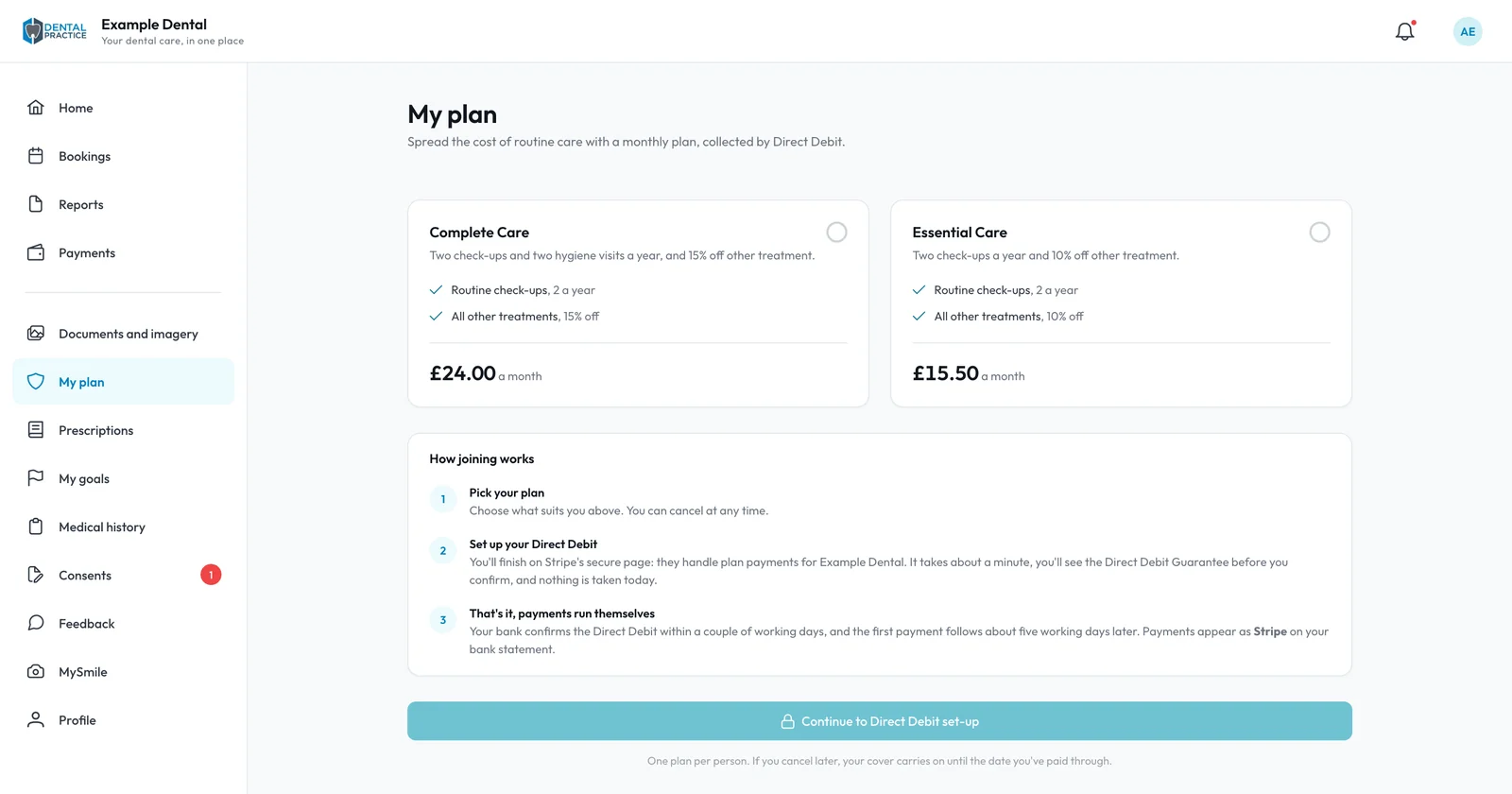
Patients pay balances and deposits by card when you take payments online, and join your membership plan by monthly Direct Debit in My plan.
- 5.1Every payment on recordPatients see what is due and past payments, and get a receipt by email.
After the visit.
Recall reminders
A text or email when the next check-up is coming up, with a link to book it.
Recalls and remindersFeedback after each visit
Patients rate their visit privately, low scores raise a task, and the reviews you choose go on your website.
Reviews and feedbackMySmile
Patients send up to 10 photos with a question, the clinical team replies from the record, and a To-Do task makes sure someone does.
An earlier appointment
Patients tick "I'd take an earlier appointment", and your gap filler can offer them a freed slot.
Details kept up to date
Patients change their address, GP and contact preferences, and a new mobile saves only after a code by text.
No passwords
Register a patient with an email and mobile and their account exists. They sign in with a code by email or text.
Give patients one place for their care.
Lumina Portal is included on every plan, free tier included.