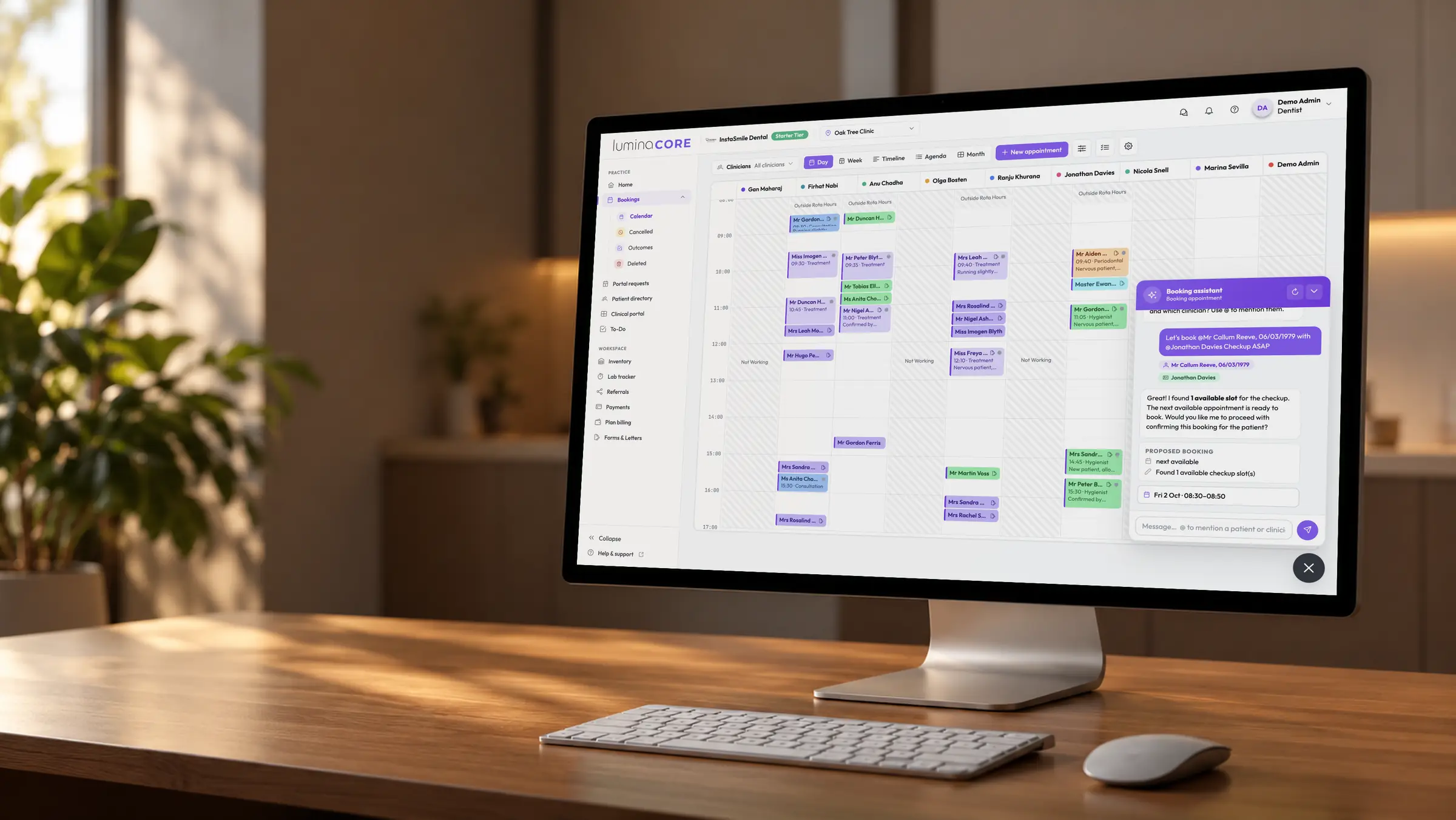
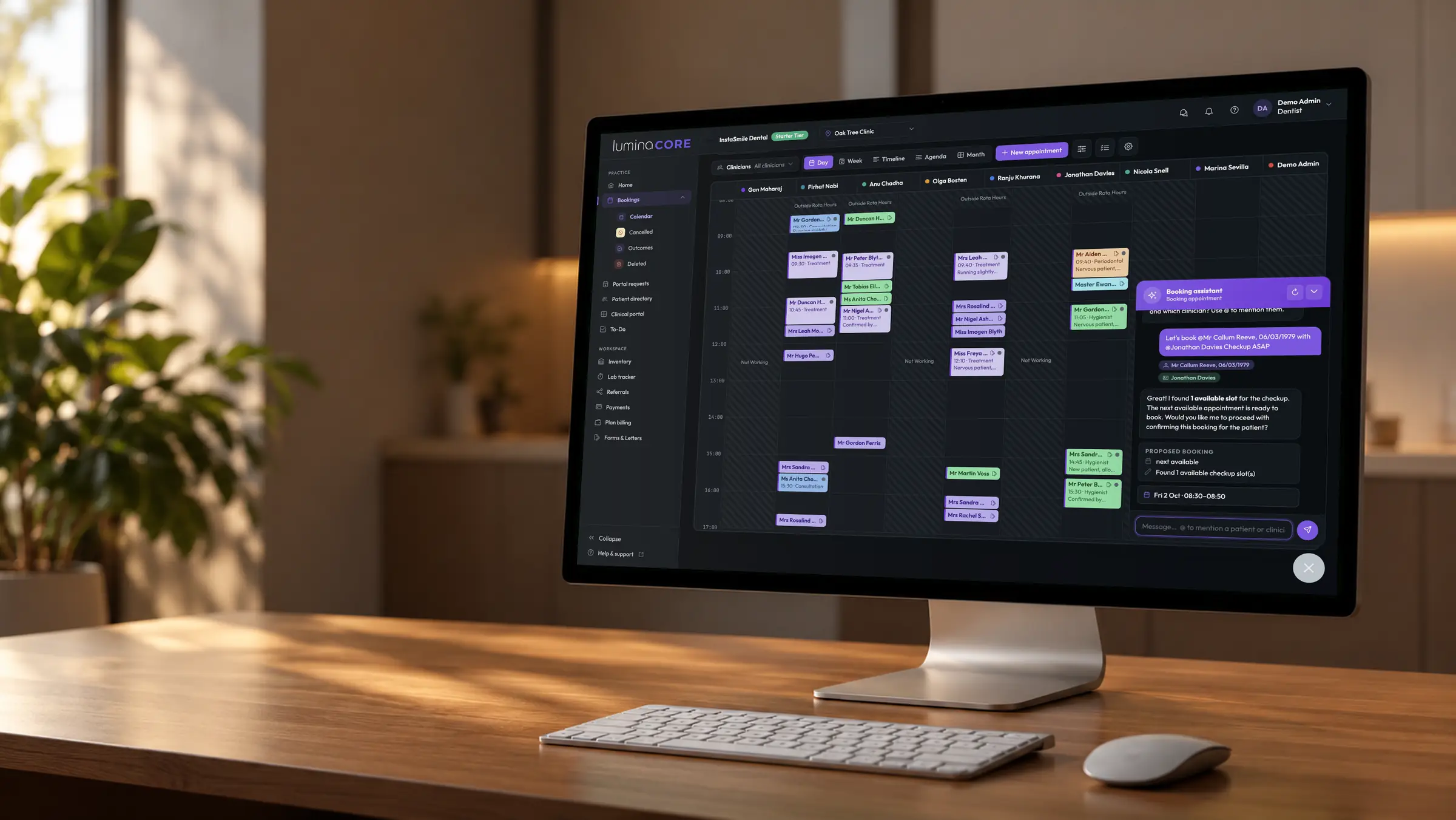
Different views. Same practice reality.
Lumina is split into focused applications because different people do different work. Clinicians and reception run the day in Core. Owners and managers control the business in Admin. Patients understand and act through the Portal. All one data set.
 Runs the clinical and reception day
 Diary, day list, booking requests, patients, charting, exams, medical history, care plans, labs, inventory, referrals, payments and tasks.
- A live day list, not a static calendar
- Structured clinical records, not free text
- Clinical readiness before the first patient
 Controls the business
 Organisation setup, staff and rota, pricing, fee schedules, plans, compliance, analytics, equipment, integrations and security.
- Set it once, see it everywhere
- Pricing as a live commercial system
- One practice or a whole group
 Brings patients into the journey
 Exam reports, bookings, requests, payments, deposits, medical history, consent, feedback and self-service updates. Mobile-first, passwordless.
- Accounts exist automatically from Core
- Reports patients actually understand
- Every action flows back to the practice
 One Lumina platform
A patient is registered once. A price is set once. A rota is changed once. Then Core, Admin and the Portal all act on it, immediately.
No syncing between products. No re-keying. No gaps for work to fall into.
Watch work move through the platform.
Each step feeds the same record, seen from a different surface.
The booking request loop
Patients get 24/7 digital access. The practice keeps control of the diary. Admin rota and opening hours decide what can ever be offered.
- PortalPatient requests carePreferences, availability and notes, from their phone.
- CoreRequest lands for reviewA managed inbox, not a stranger in the diary.
- AdminRules shape the optionsRota, opening hours and deposit policy apply automatically.
- CoreStaff confirm the right slotBooking AI suggests times that make clinical and diary sense.
- PortalPatient sees it confirmedStatus, preparation tasks and any deposit due.
The exam report loop
A structured exam in Core becomes a report a patient can actually understand, only after the clinician approves what is shared.
- CoreClinician completes the examStructured assessment, charting, planned treatment, images.
- CoreLuminaScribe drafts summariesOne for the record, one in patient language. Both editable.
- CoreDentist approves what is sharedNothing reaches the patient without sign-off.
- PortalReport is ready at homeFindings, x-rays, Lumina Grade, clinical recommendations, costs and next steps.
- PortalPatient acts on itSchedules recommended care, pays a deposit, asks any questions.
The money loop
The money follows the clinical workflow. Pricing is defined once in Admin and explains itself all the way to the patient's receipt.
- AdminFee schedule is definedPrice, minimum, recommended, cost and margin per clinical action.
- CoreTreatment is plannedSessions and care plans price themselves from the live schedule, with edits made by the clinician.
- CoreSession completesInvoice generated, reception already knows what is owed and why.
- PortalPatient pays from homeBalance or deposit by card, tied to the treatment it relates to.
- AdminPerformance is analysedRevenue, margin and price variance, reconciled automatically.
The signal-to-action loop
Lumina is not just a system of record. When the data shows a problem, someone owns fixing it.
- SignalSomething needs attentionA recall breach, failed claim, low stock, unsigned consent, lab delay.
- AdminPolicy decides what happensThresholds and rules you control, not hard-coded behaviour.
- To DoA task is created and ownedAssigned to a person or role, with a due date and notifications.
- CoreThe workflow adaptsWarnings at booking, deposits required, prompts before treatment.
- AdminThe loop is measuredEvidence and audit trail of what was caught and closed.
Built as one system, because it is one system.
Everything that should only exist once, exists once.
One login, every surface
Staff sign in once and move between Core and Admin through the Launchpad. Sign-in is passwordless for staff and patients alike, with a one-time code to a verified email or mobile.
Role-specific access
Owner-level controls stay out of the clinical workspace. Receptionists, nurses, clinicians and managers each see only what their role needs.
One audit trail
Medical history versions, consent signatures, price changes, incidents and admin activity are recorded where they happen, once.
UK cloud on AWS
UK data residency, GDPR and UK DPA alignment, encryption in transit and at rest, per-practice isolation.
With the team everywhere
A real iOS and Android app for the practice team: alerts, tasks, emergency notifications and practice activity away from the desk.
Security as a feature
Passwordless sign-in by default: a one-time code to a verified email or mobile on every sign-in. Passkeys and authenticator-app MFA are supported, and you can require them for your staff. Role-based permissions and audit logs are managed in Admin, not bolted on. Read about security.
See the connected platform behind Lumina.
From the first booking request to the final payment, one system keeps the practice connected.