
FeaturesAudit and activity Admin
See who opened a record, and why.
Audit & activity reads every access against the diary, flags patterns worth a look, and exports a patient's history for a subject access request.

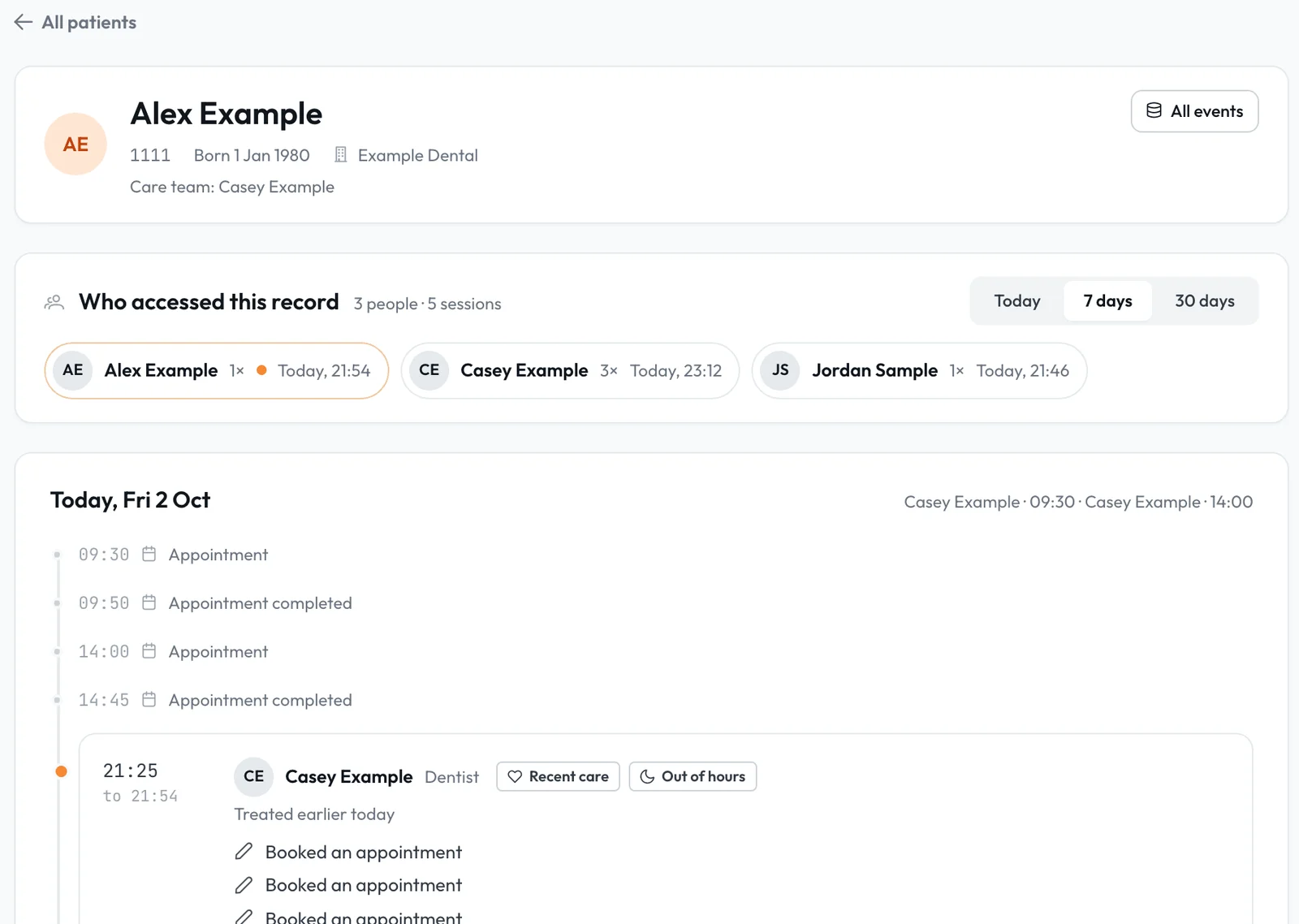
Who opened this record?
Pick a patient to see each person who opened their record, how often and when, with a day-by-day timeline of what they viewed or changed.
- 1.1Read in the context of careEach session is marked During appointment, Front desk or No obvious care link, from the diary and the patient's history.
- 1.2Explain, in plain wordsClick Explain on a session for a plain account built only from the diary, history and events.
- 1.3Reads, not only changesOpening a medical history, clinical note or document is recorded each time, and so are refused attempts.
Patterns flagged for a person to check.
Lumina surfaces patterns such as out-of-hours access with no booking, and an Org Admin records an outcome and a note that becomes part of the audit record.
"No obvious care link" is not an accusation: it means Lumina found no booking or care that explains the access. Managers' own activity is recorded too.
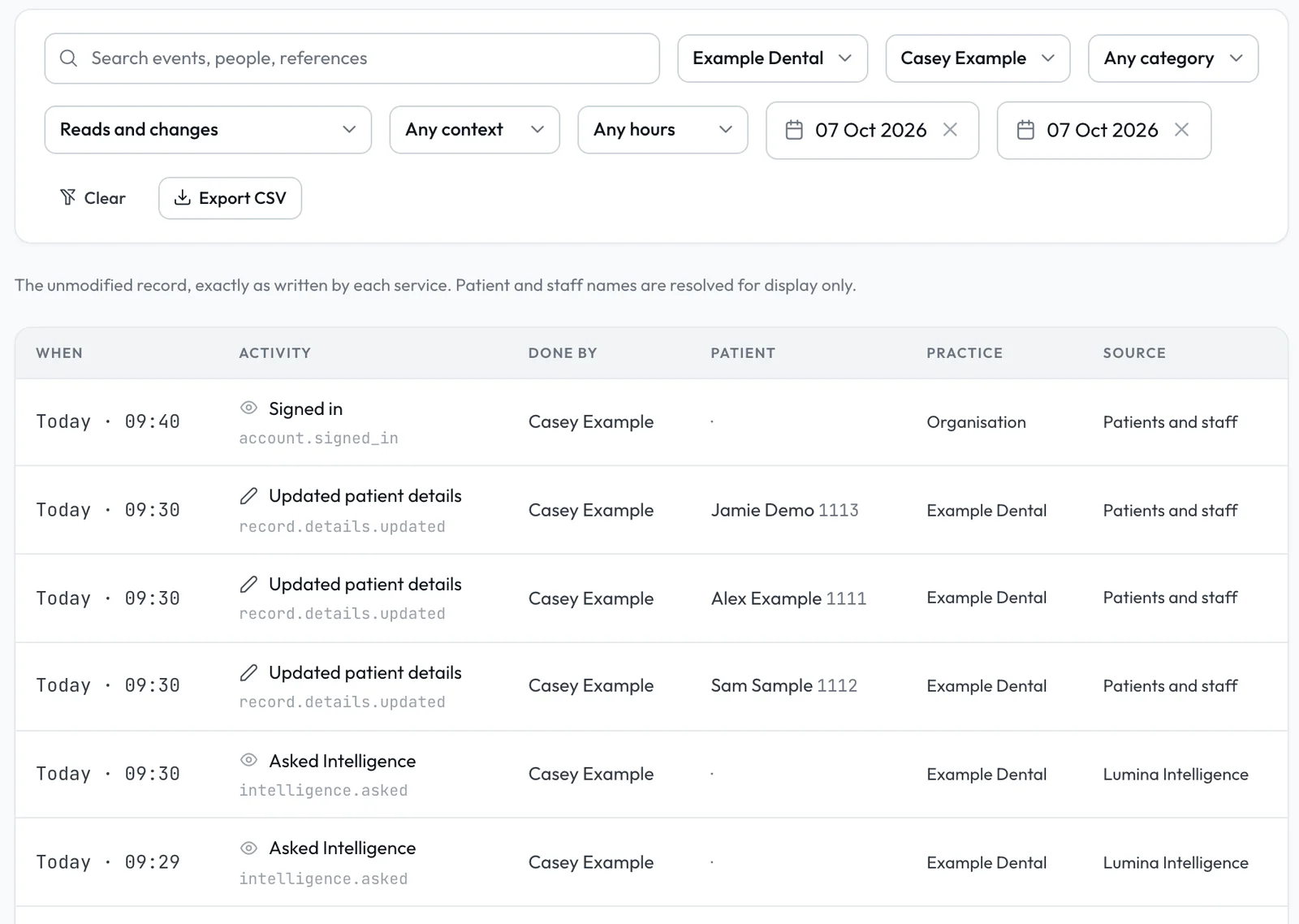
The full, unchanged record.
Filter every event by practice, staff member, category, reads, changes or denied attempts, care context, out of hours and dates, then export to CSV.
- 3.1Done by the right personDone by names the person who made a change. Scheduled actions, such as reminders, show System.
- 3.2Lumina Intelligence includedEach question to Lumina Intelligence shows as one Asked Intelligence row, under the person who asked.
- 3.3Subject access requestsOpen the patient, choose All events, set the dates and export up to 5,000 events per file.
For managers, not the whole team.
Practice managers and administrators see activity for their own practices, and Org Admins see the whole organisation, record outcomes and choose what gets surfaced.
Compliance
Policies, complaints, signal rules and recalls sit beside the audit trail in Lumina Admin.
ComplianceSecurity
Roles decide who opens what, and a leaver is archived with a reason while their record is kept.
SecurityEmergency alerts
Each alert is recorded with who raised it, the practice, the surgery named and the time.
Medical emergenciesAnswer "who opened my record?" in a minute.
Audit & activity is part of Lumina Admin.