FeaturesCharting Core
Dental charting built for UK practice.
One anatomical chart with BPE, six-site perio by keyboard or voice, and bridge and denture designers, and you can play the chart back to any past visit.

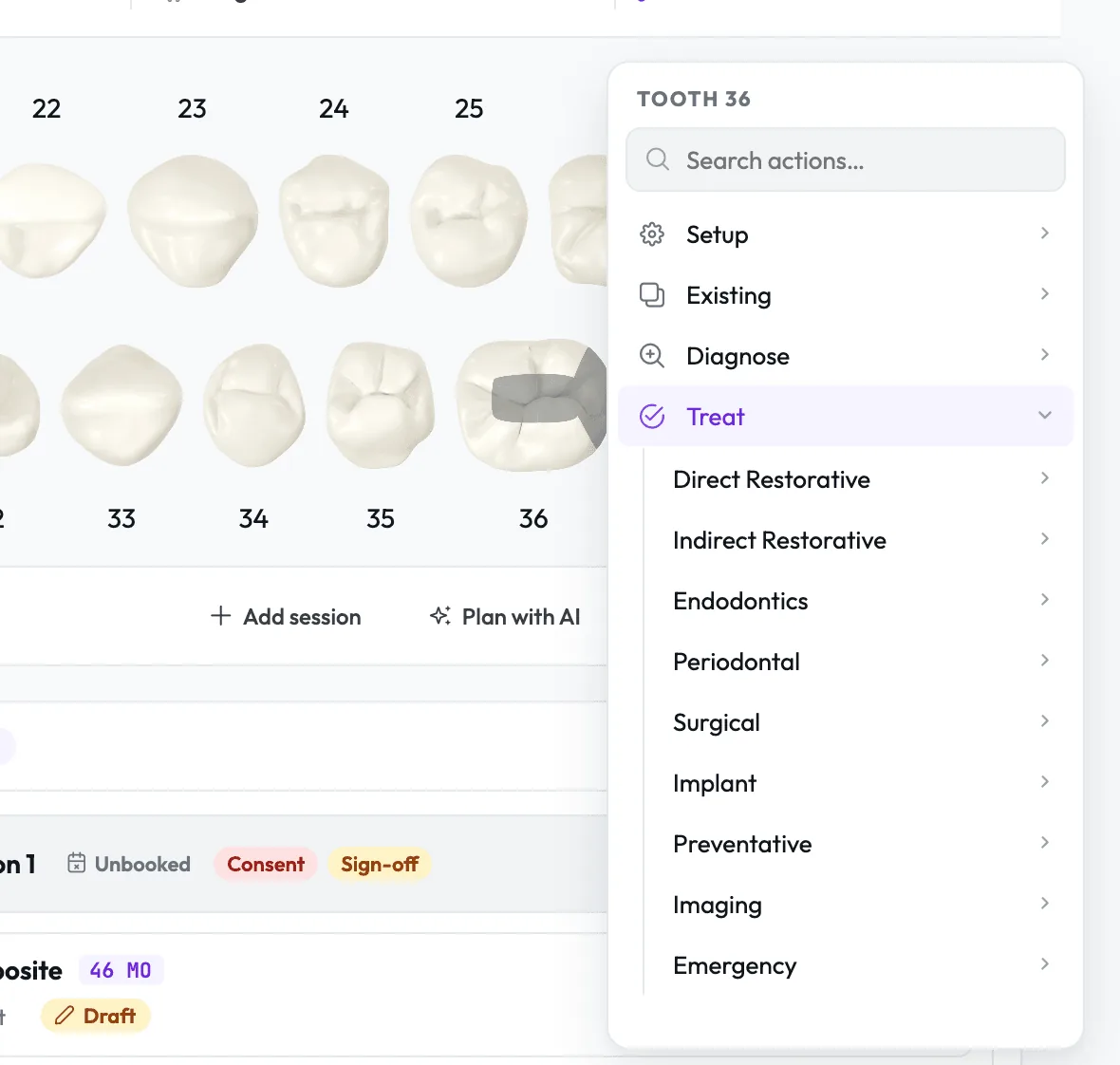
One menu for every tooth.
Click a tooth for one searchable menu of Setup, Existing, Diagnose, Treat and Watch, with the actions you chart most pinned as favourites at the top.
- 1.1Right-click to repeatQuick chart puts your last action on the next tooth at once, with Undo in the message.
- 1.2Stages laid outA crown, veneer or inlay arrives as Prep, Impression/Scan, Temporary and Fit, ready to drag into sessions.
- 1.3Plan with AILumina AI suggests how to group unscheduled work into sessions, and nothing is added until you approve it.
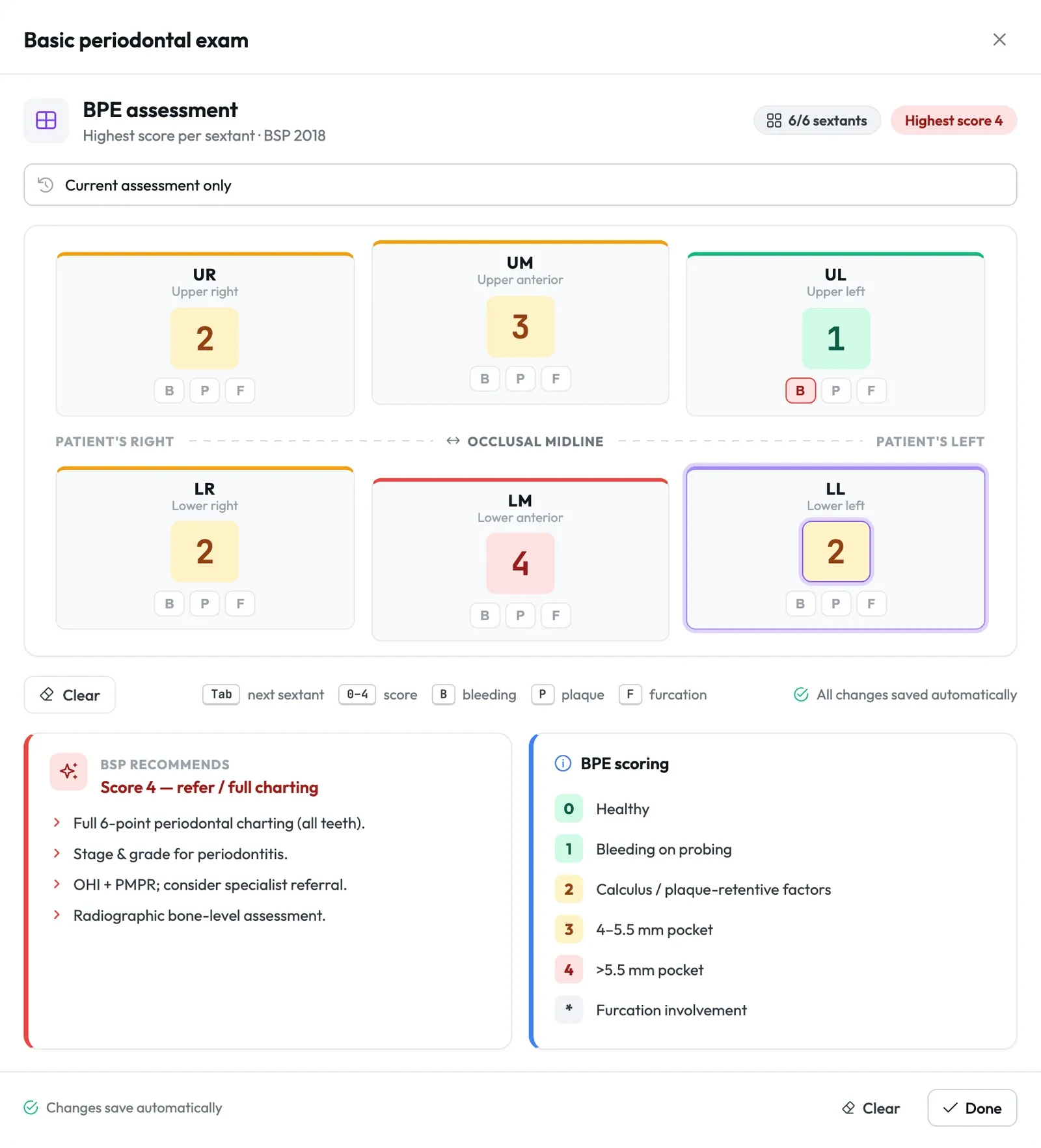
BPE with BSP advice as you score.
Type a score per sextant and Lumina moves on, press B, P or F for bleeding, plaque or furcation, and the BSP recommends card updates from the highest score.
- 2.1Earlier scores to handPick any earlier BPE from the list to compare it with today's.
- 2.2Excluded sextantsPress the minus key for a sextant with fewer than two teeth, and NHS Wales receives it as excluded.
- 2.3On its own or in the examScore a BPE from the tool strip, or on the exam's BPE & perio tab.
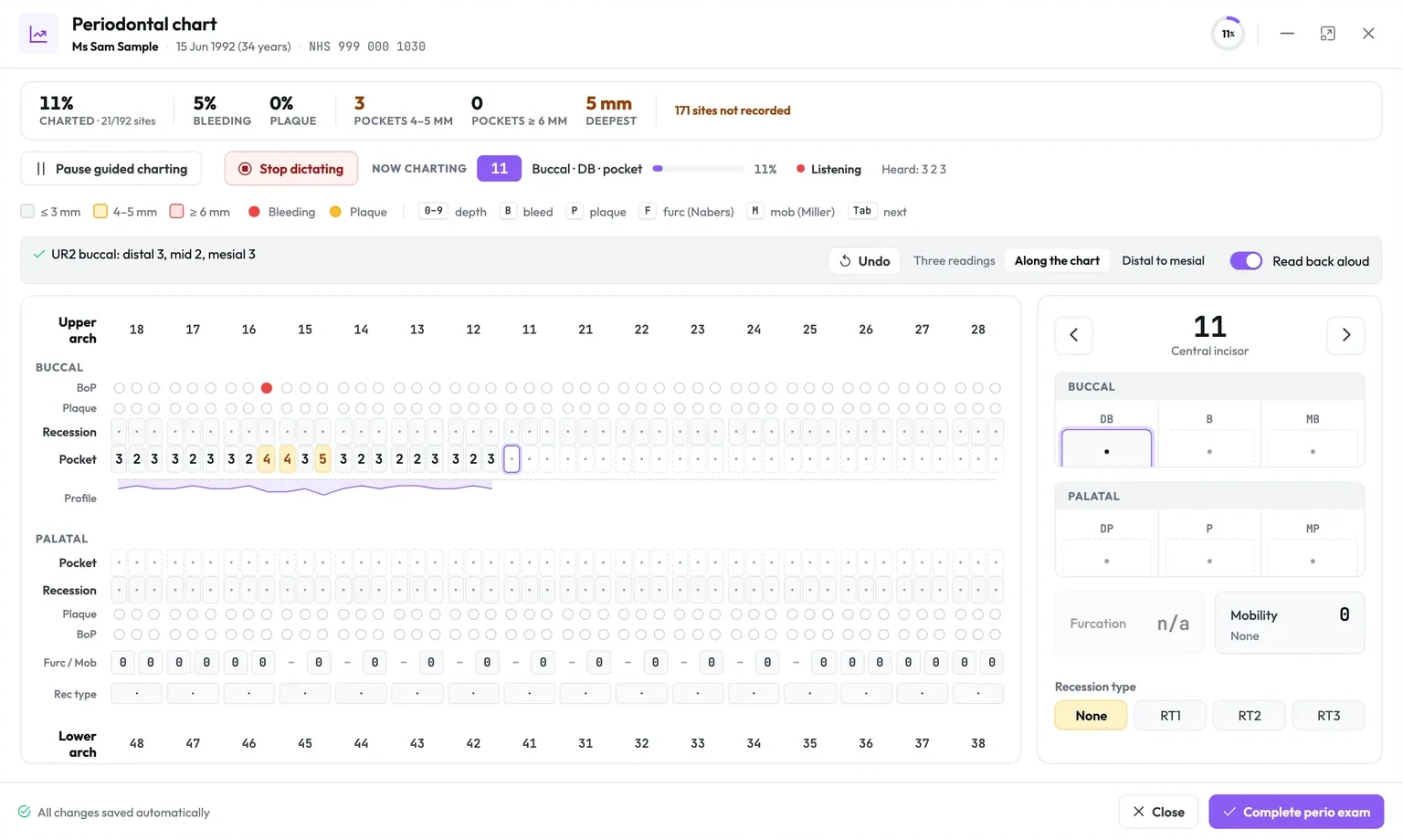
Six-site perio in UK probing order.
Guided charting runs upper buccal 18 to 28, palatal back, lower buccal 48 to 38, then lingual, recording pocket, recession, bleeding, plaque, furcation and mobility.
Call out the readings while you probe.
Click Dictate and say "3 2 3" or "UR6 buccal, three two four", and Lumina fills the perio chart, reads back what it charted, and asks when it is not sure.
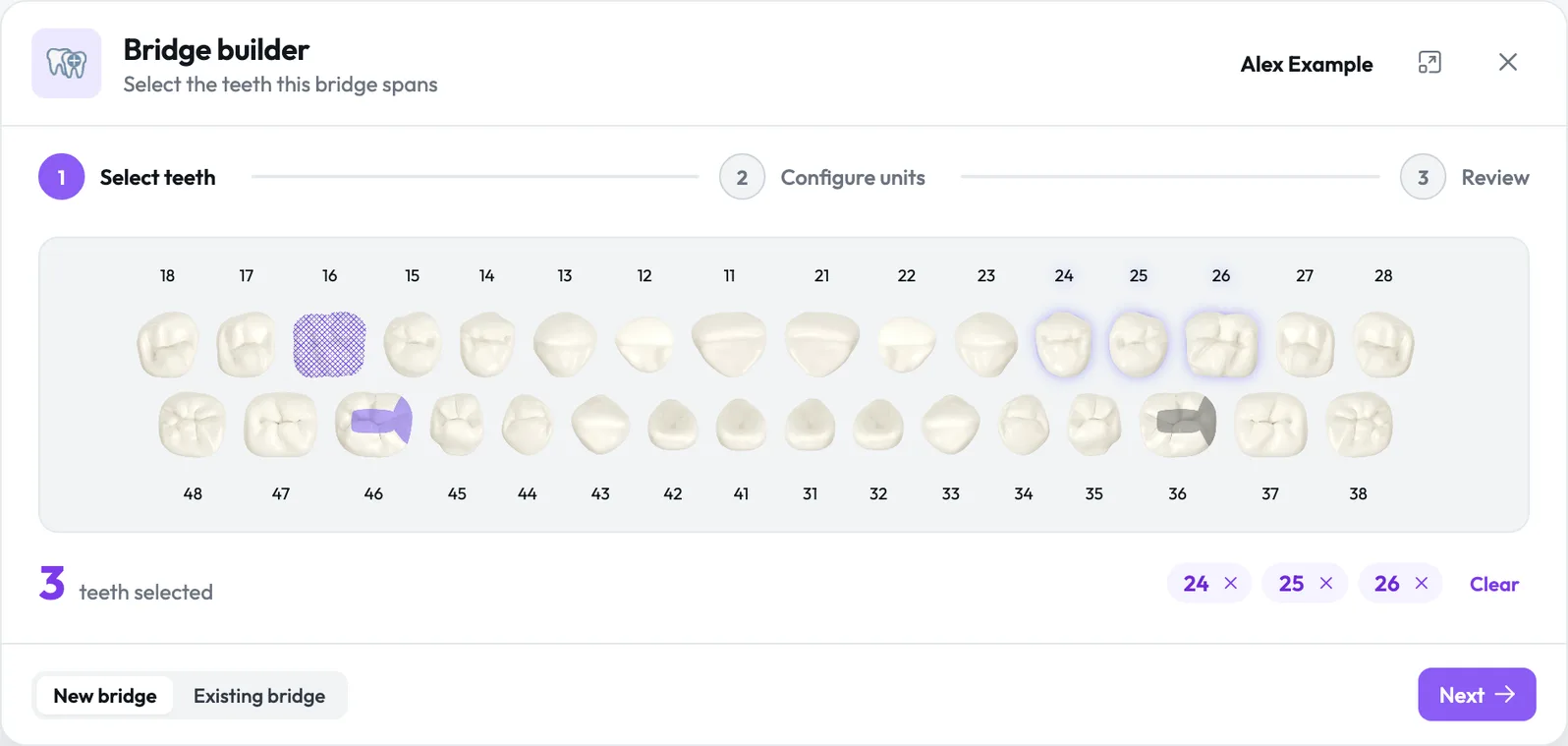
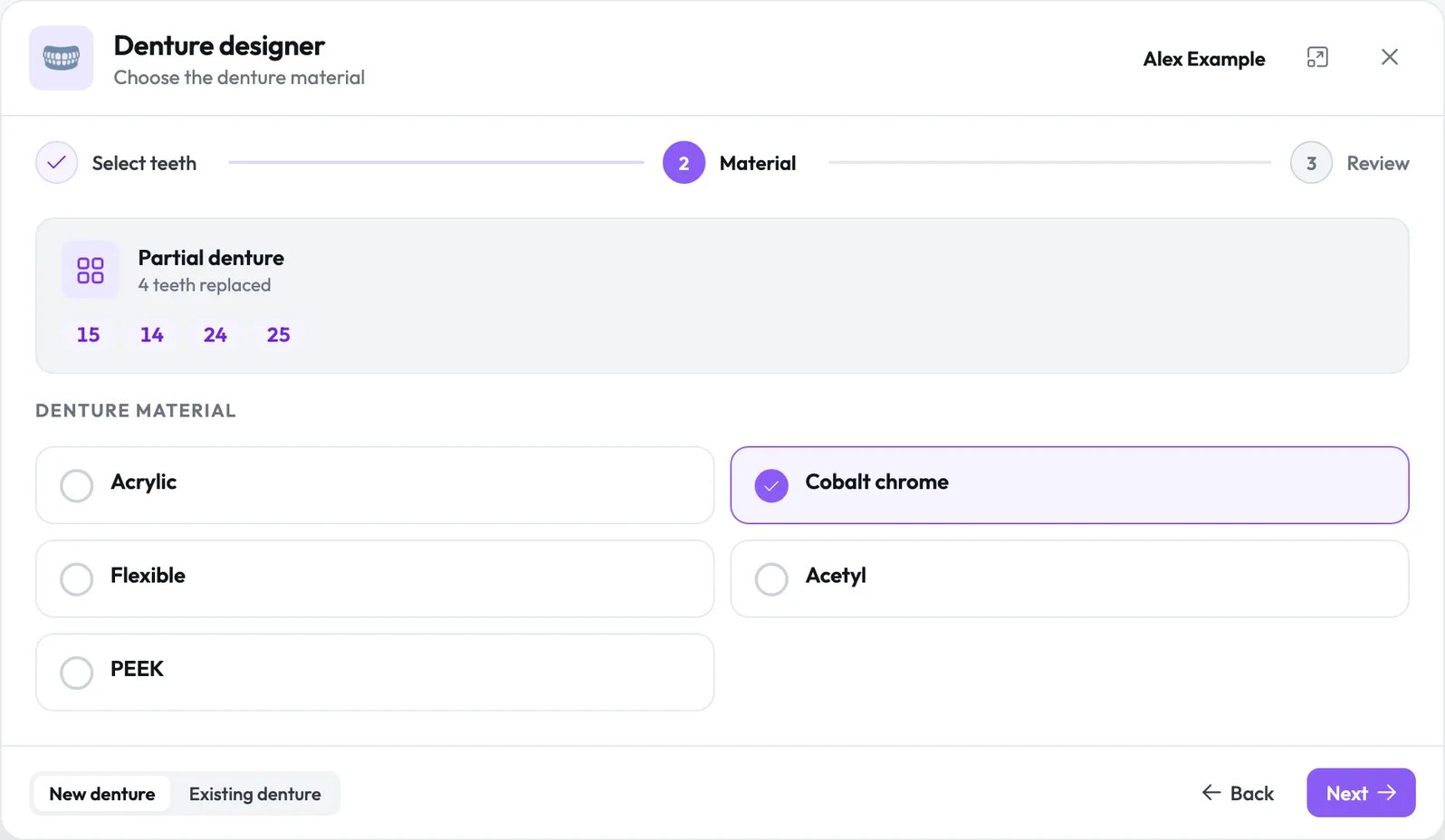
Bridges and dentures in three steps.
Pick the teeth, set each unit and its material, then review, and a new bridge or denture lands in the care plan with its visit stages, ready to price.
- 5.1Bridge builderPontic, abutment or wing per unit in ceramic, PFM, yellow gold or metal, with Prep, Impression/Scan, Temporary and Fit.
- 5.2Denture designerPartial, complete or obturator, with five stages from primary impression to fit, priced from your fee schedule.
- 5.3New or already in the mouthRecord existing work as a baseline with no charge, or plan new work and make lab work from it.
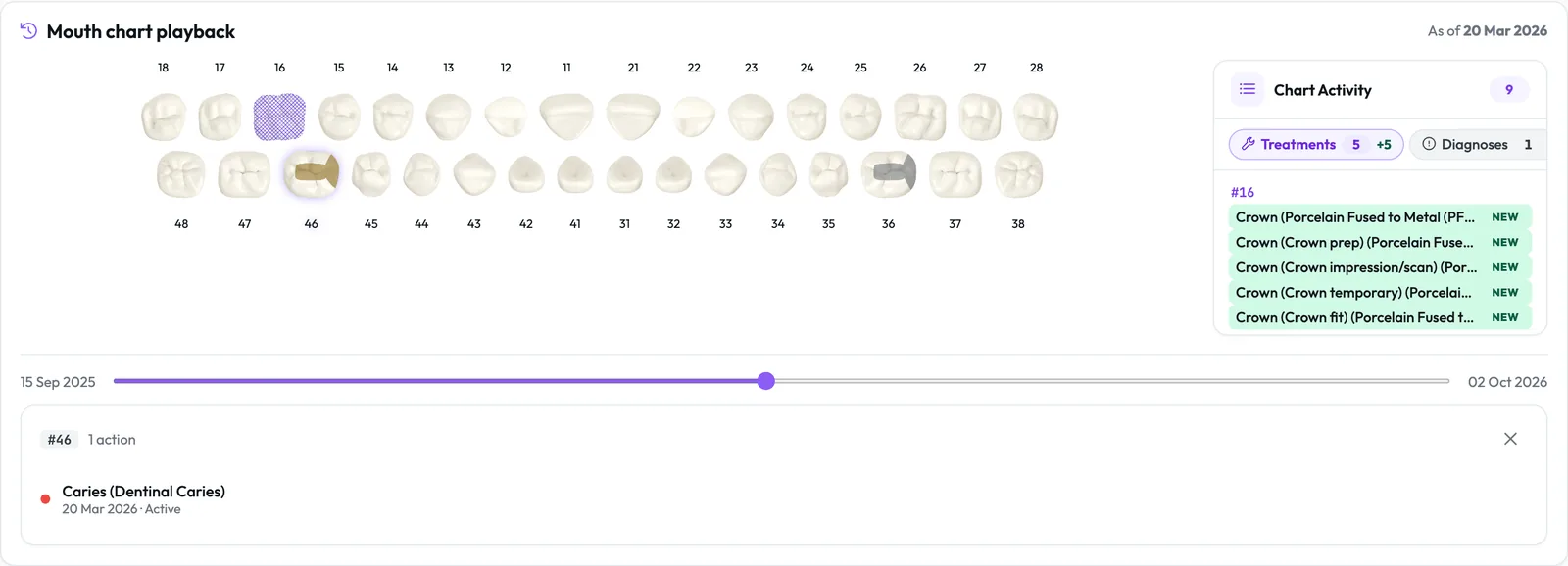
See the chart on any past date.
Mouth chart playback slides the chart back to any visit, beside caries, perio, oral cancer and wear risk over time, a filterable visit history and goals the patient sees in Lumina Portal.
Works with Scribe, lab work and NHS claims.
Lumina Scribe
Talk through the appointment and your findings land on the chart as drafts for you to approve.
In depthLab work
Make lab work from any charted treatment, with the type and return date filled in.
In depthNHS claims
Chart the dentistry and Lumina builds the NHS claim when the course completes.
In depthChart your next patient in Lumina Core.
Charting, BPE, perio and the bridge and denture builders are part of Lumina Core on every plan.