FeaturesLumina Scribe Core
Lumina Scribe drafts the note and the chart.
Talk through the appointment and Lumina Scribe writes the transcript, drafts a structured note, and puts your findings on the chart as drafts for you to approve.

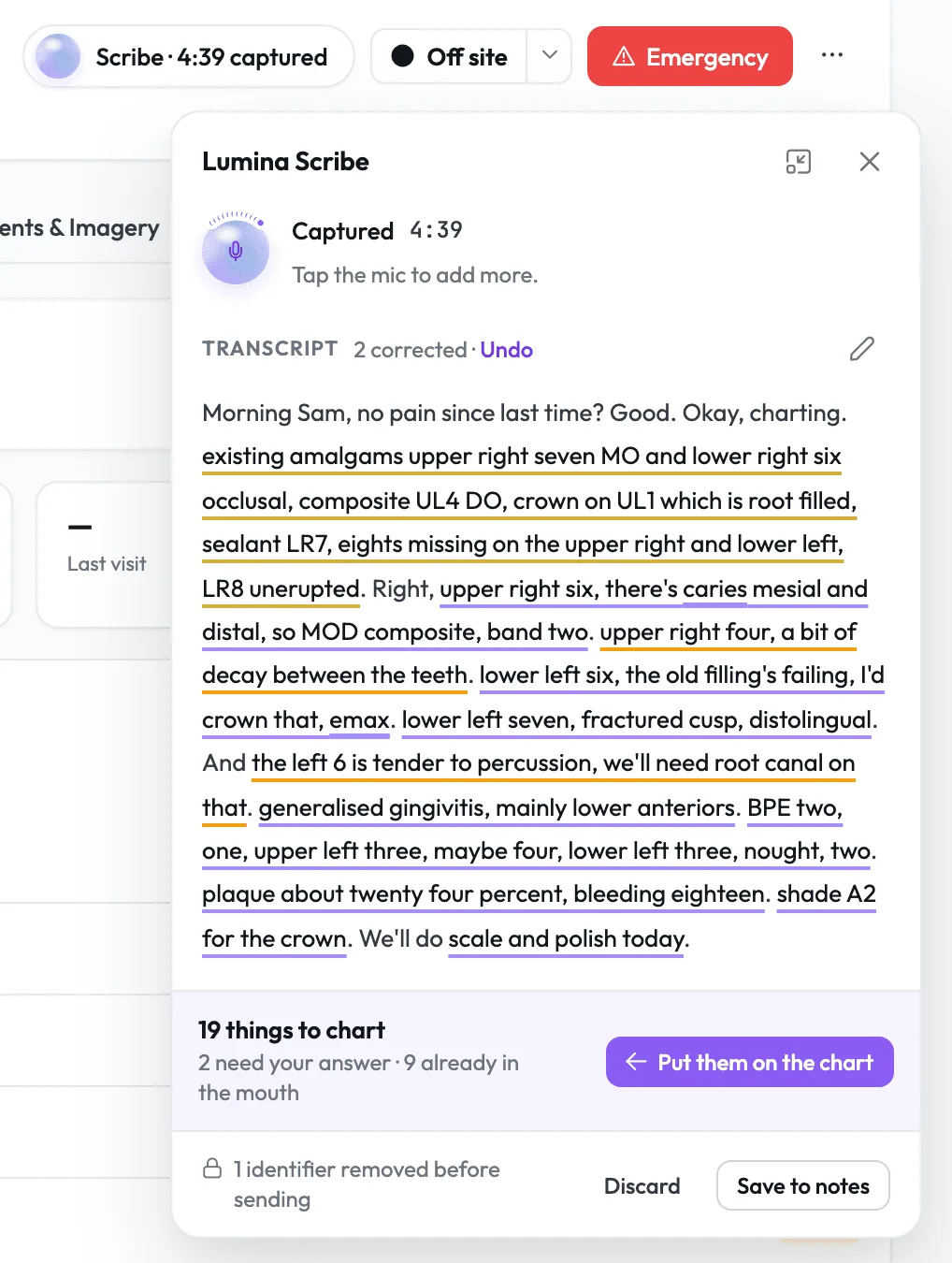
Words appear as you speak.
Lumina Scribe writes the transcript as you talk, fixes misheard dental words and underlines each one, and one click puts back exactly what it heard.
- 1.1One click to startStart Scribe sits in the patient band and reminds you to tell the patient you are recording.
- 1.2Name teeth your way"Upper right six", "UR6" or "18 missing", and groups such as "both lower sixes".
- 1.3Audio never storedOnly the transcript is kept, in the note you save.
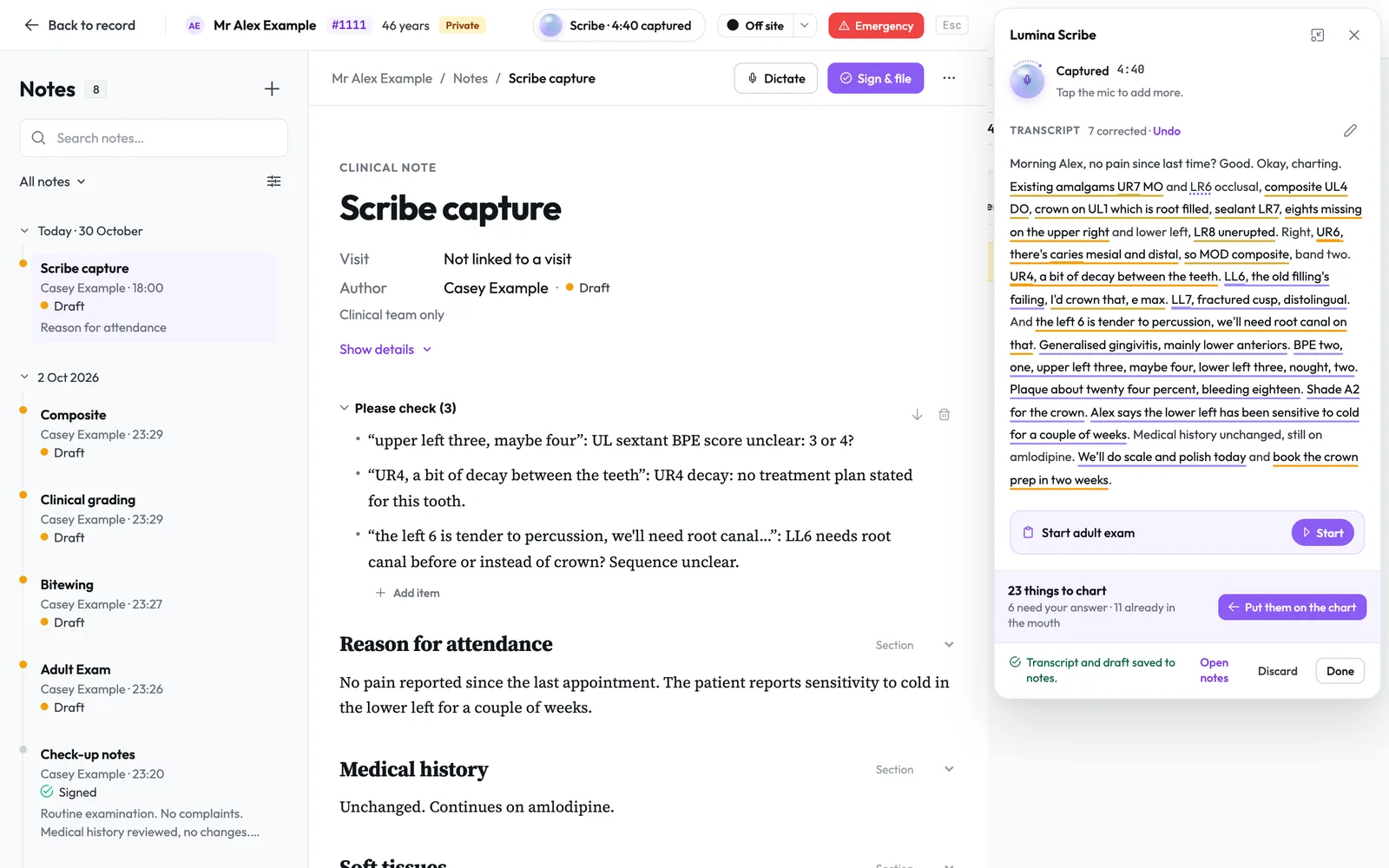
A structured note, drafted for you to check.
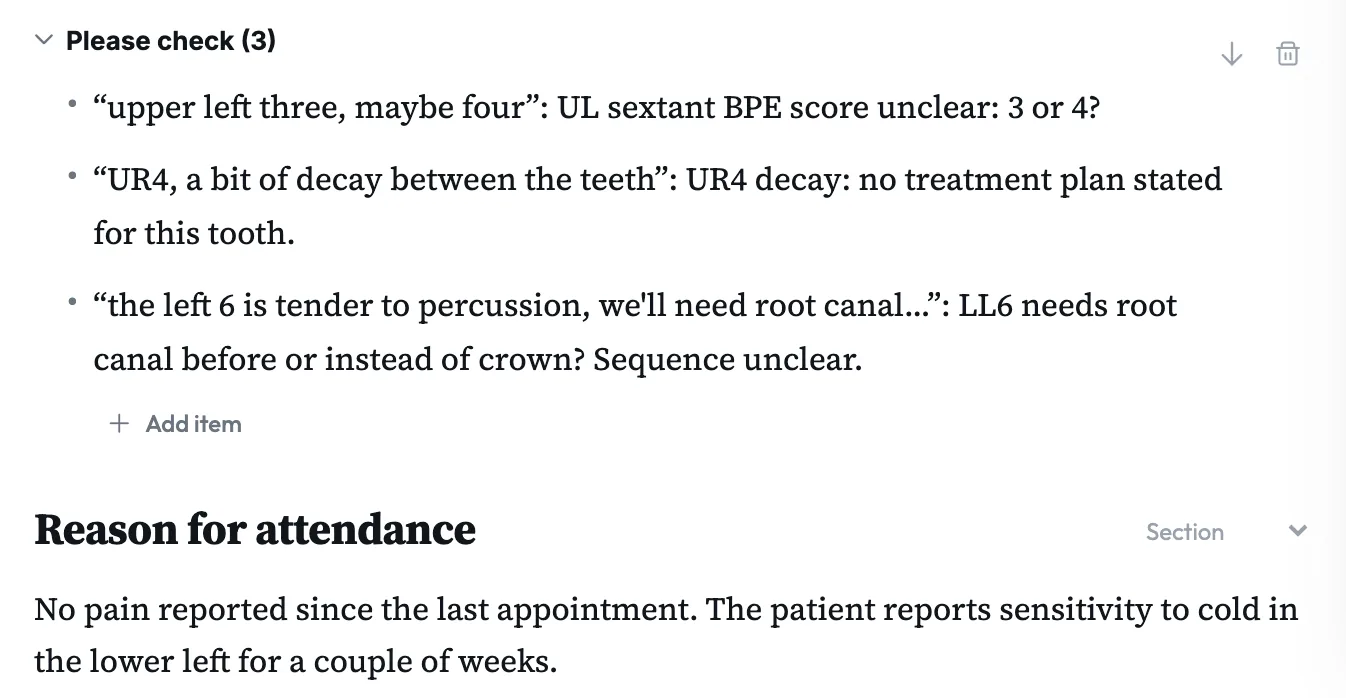
Save to notes files the whole transcript with a structured draft above it, opening on a Please check list of up to five doubts, most important first.
- 2.1Doubts flagged, not guessedThe draft writes "tooth not stated" or "value unclear", and "one, sorry, three" is written as three.
- 2.2Linked to the visitThe note files against the visit shown at the top of the record, and leaves out another patient's words if the recording ran on.
- 2.3You sign itEdit with headings, bold and follow-up actions, then sign, and any later amendment keeps the original.
Findings land on the chart, tooth by tooth.
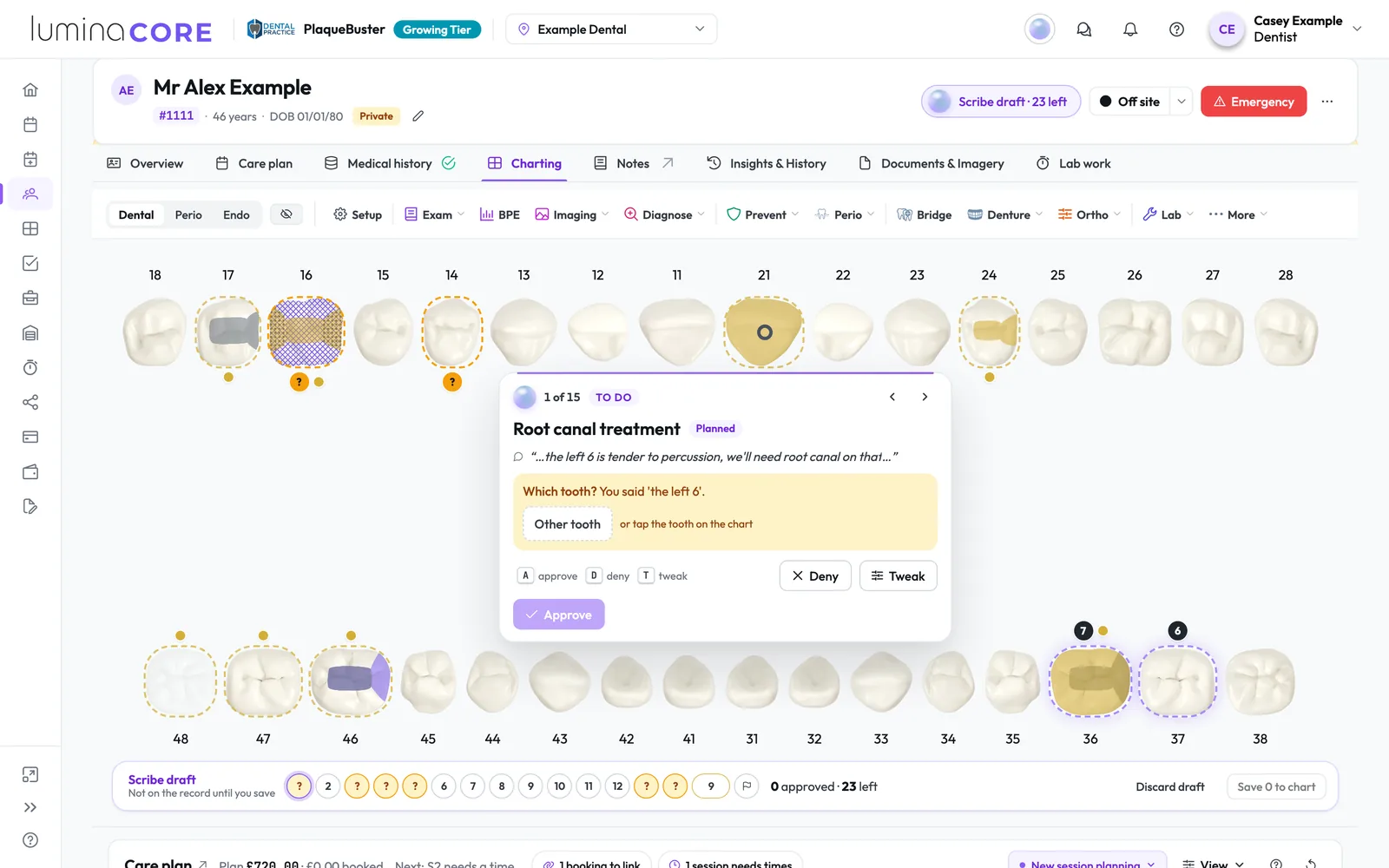
Click Put them on the chart and each finding lands on its tooth as a draft with the words you said, to approve, deny or tweak, and nothing is on the record until you save.
- 3.1Asks instead of guessingWhen it is not sure which tooth, the card asks, and you answer by tapping the tooth.
- 3.2Existing work in one stepCheck old fillings and missing teeth together, then approve them all at once.
- 3.3Only what you decidedIt charts this patient's teeth, and only treatment you carry out or find, never treatment you only discussed or priced.
Fills the exam as you talk.
Inside an exam, Lumina Scribe fills the answers and BPE scores you described, keeps a starred score such as 3*, and highlights each field it changed for you to check.
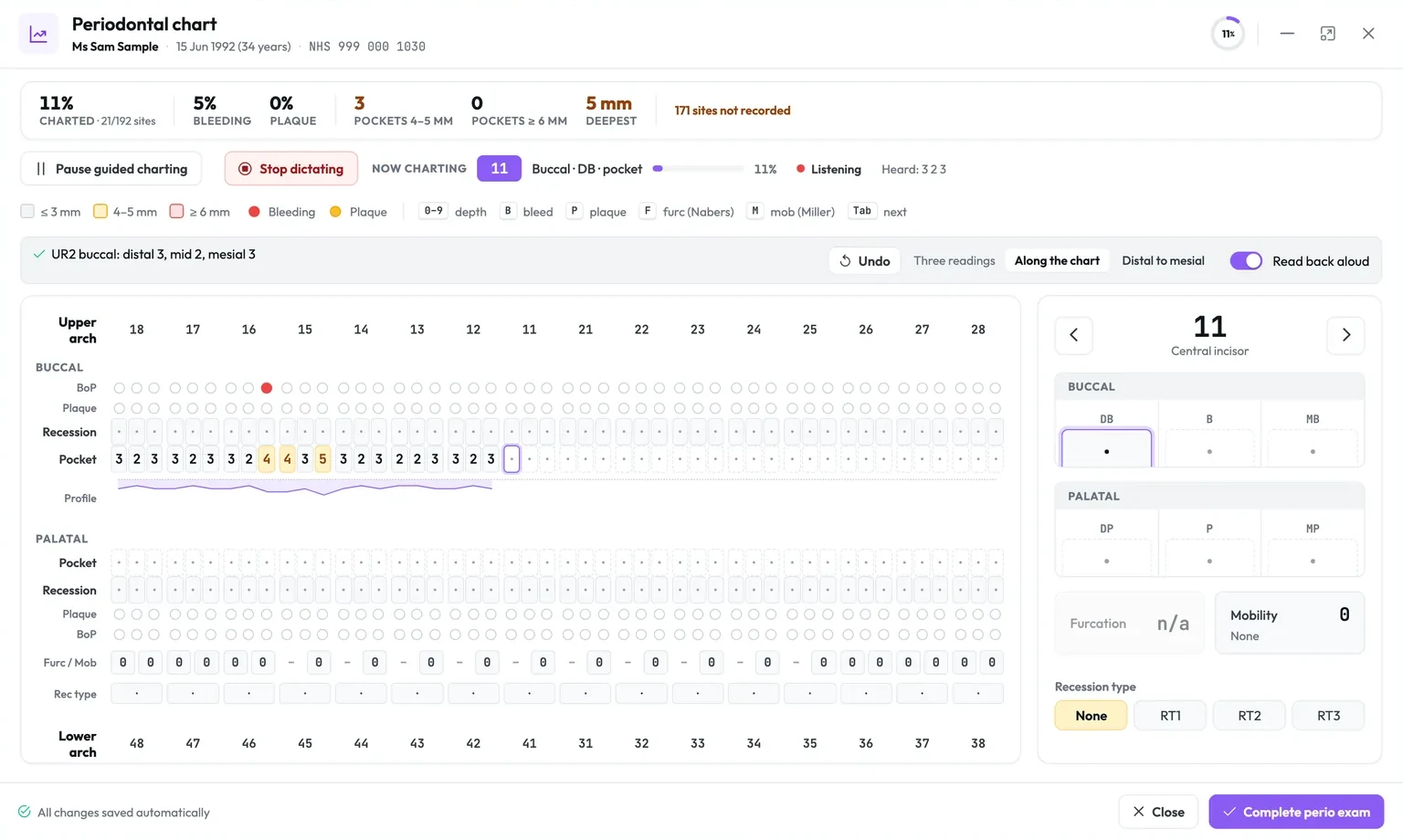
Dictate notes and perio readings.
Click Dictate in any note and your words go in at the cursor, or call out pocket depths, bleeding and more while you probe, and Lumina fills the perio chart and reads each reading back.
The clinician approves every record.
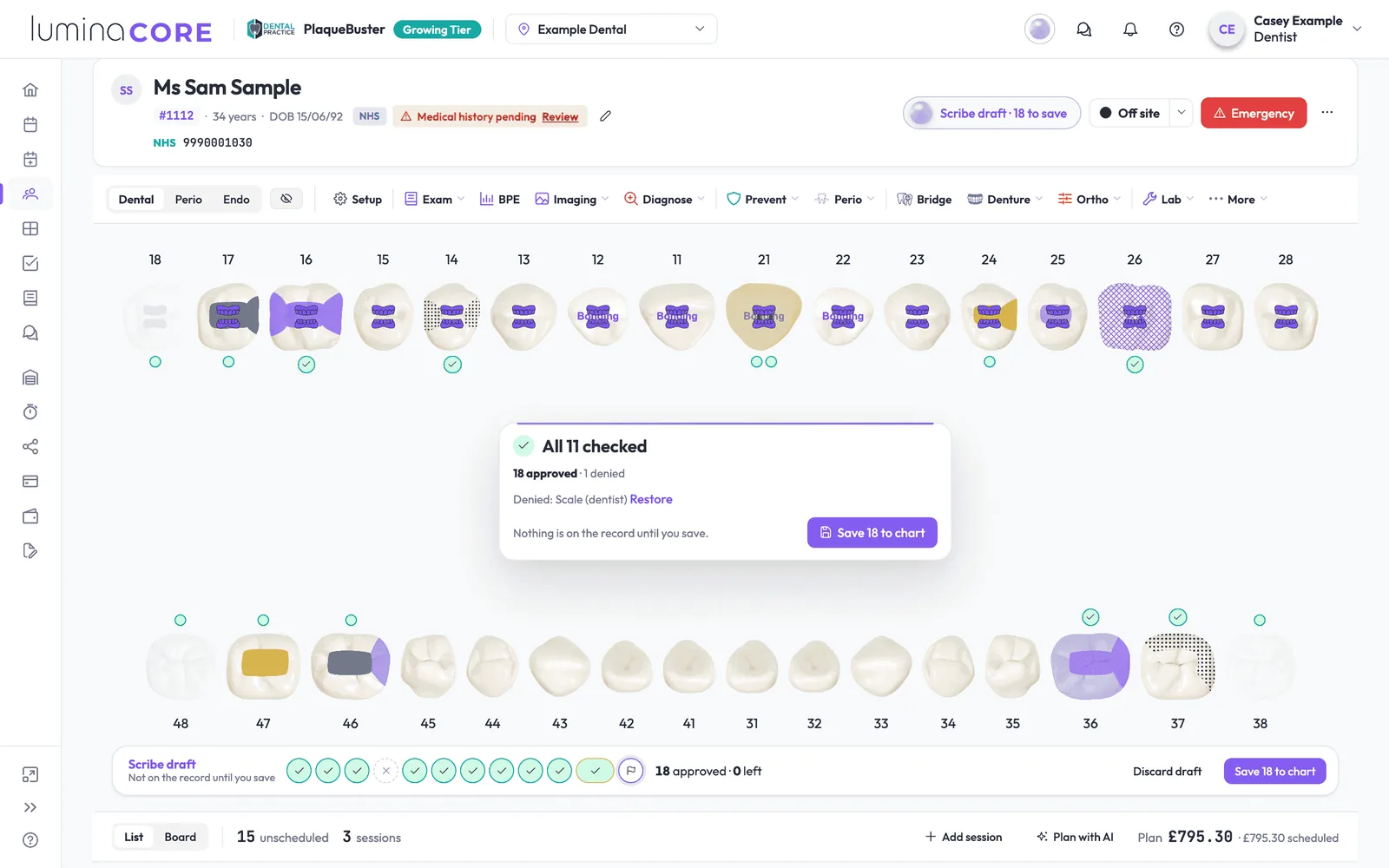
Lumina Scribe drafts, and the clinician checks, approves, saves and signs.
- 6.1Save when you are readySave part way through, and anything you have not checked stays a draft.
- 6.2Pick up where you left offThe patient band shows how many drafts are left, even after you close the browser.
- 6.3Switched on by your organisationAn administrator turns on Clinical actions and AI in Lumina Admin, and Scribe uses your shared AI allowance.
Feeds charting, exams and patient reports.
Charting
Approved records sit on the same chart as everything you click, ready to plan into sessions.
In depthExams
Eight exam types, with Scribe open inside each one and AI summaries you approve before the patient sees them.
In depthPatient reports
Notes your dentist approves for the patient appear in their report as Notes from your dentist.
In depthTalk through your next appointment.
Lumina Scribe is part of Lumina Core on every plan and uses your organisation's AI allowance.