
FeaturesRecalls and reminders CoreAdmin
Recalls set at the chair, reminders sent for you.
The clinician sets the next check-up when they complete the exam, due and overdue lists build themselves, and patients confirm by text or email without signing in.

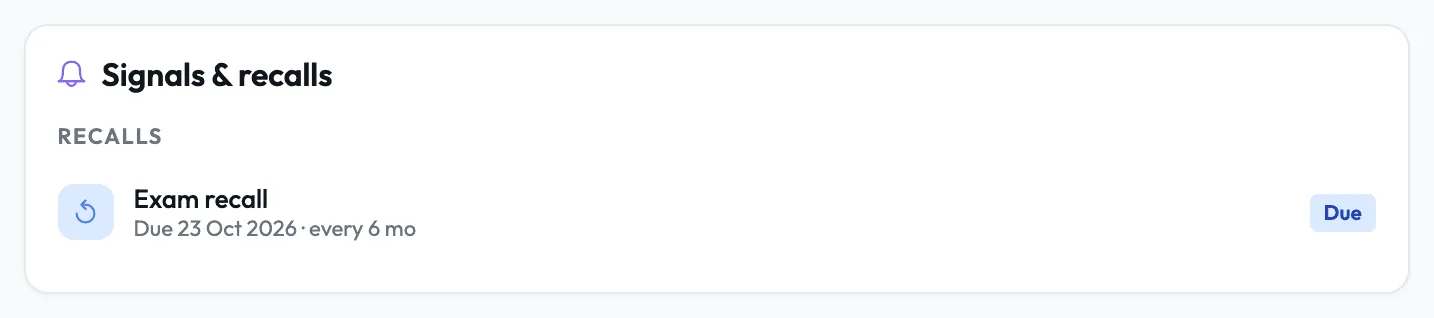
The recall is set when the exam is completed.
Before completing the session, the clinician picks 3, 6, 9, 12, 18 or 24 months, a custom interval or Not applicable, starting from the default for that exam type.
- 1.1An interval per exam typePeriodontal exams start at 3 months and emergency exams at no recall, and you can change any row.
- 1.2A separate hygiene cycleA scale by the dentist or the hygienist starts its own hygiene recall.
- 1.3Closed by bookingWhen the patient books, the recall updates on its own and reads Booked.
Reminders by text and email, on the days you choose.
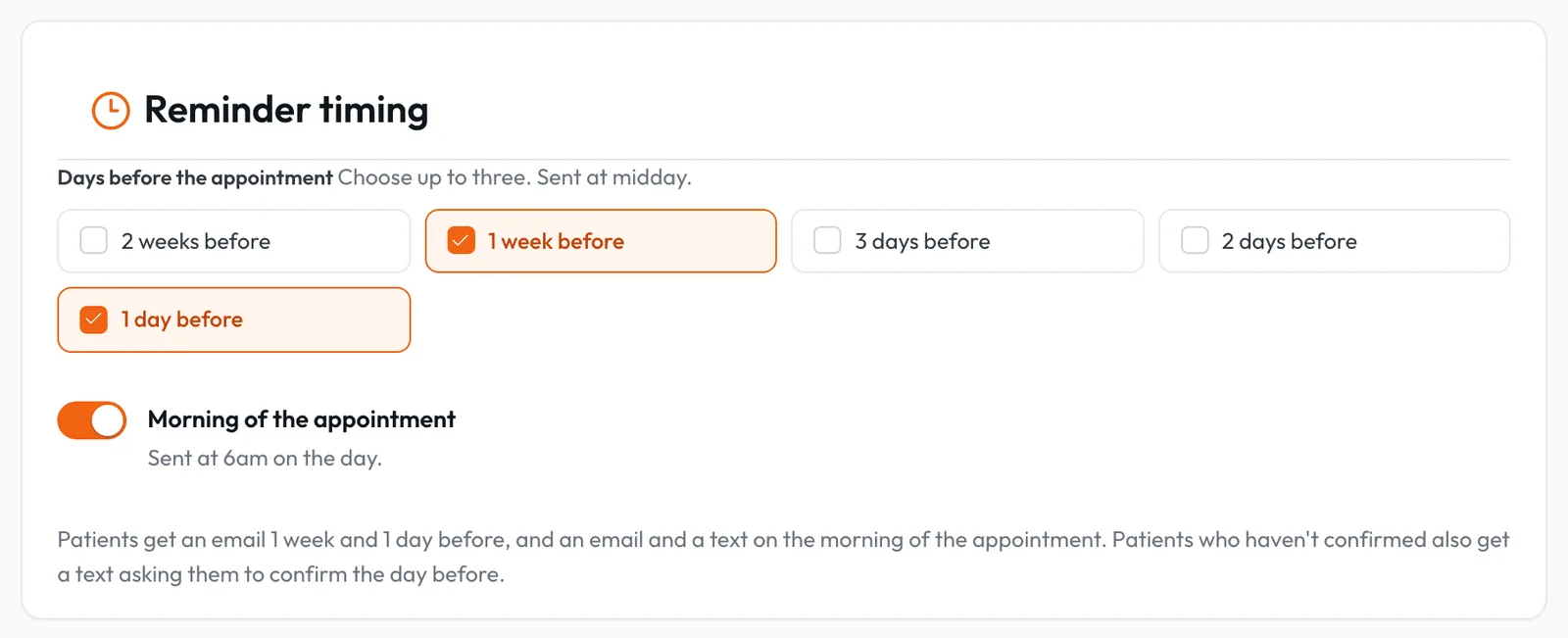
Pick up to three of 2 weeks, 1 week, 3, 2 or 1 day before, plus 6am on the day, and recall reminders go 1 to 12 weeks before the due date with a link to book.
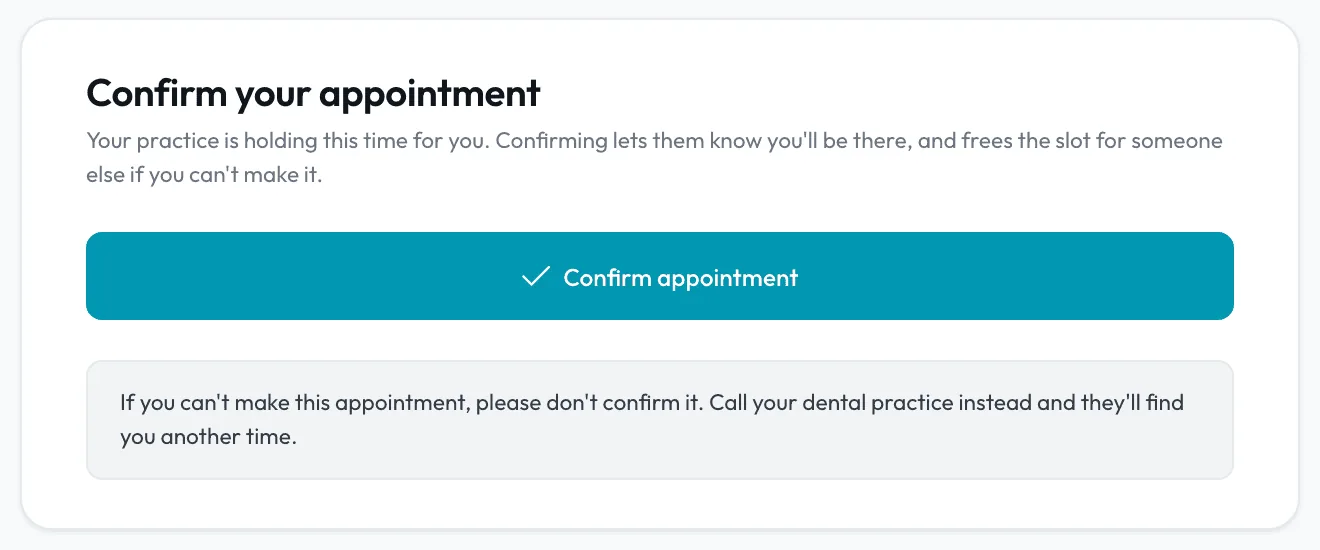
- 2.1One-tap confirmUnconfirmed patients get a Confirm button by email and a confirm link by text on the nearest reminder day, with no sign-in.
- 2.2Add to calendarBooking emails carry an Add to Google Calendar link and a calendar file for Apple and Outlook that never names the treatment.
- 2.3Email on every planTexts come with paid plans and an allowance pooled across your practices.
Due and overdue lists build themselves.
Nobody keys in a recall, so every list stays current from the moment the clinician completes the exam.
Works with follow-ups, the gap filler and the patient record.
Follow-ups
Treatment the patient did not book gets a reason and a day to check back.
In depthGap filler
Open slots matched to patients due a recall, waiting on treatment or wanting an earlier time.
In depthPatient records
Recalls, missed appointments and late cancellations sit on the record's Signals and recalls panel.
In depthBring patients back on time.
Recalls and email reminders are part of Lumina on every plan, and texts come with paid plans.