
FeaturesForms and letters CorePortal
Forms and letters built from your own paperwork.
Drag 17 question types into a form or let the AI Assistant build it from a photo of your paper one, and write letters that fill from the record and publish as PDF.

Build forms by drag and drop.
Add sections, drag in text, choice, date, signature, tooth chart, file upload or BNF drug questions, and show a question only after a set answer.
- 1.1Flags from answersA medical history answer can raise a flag on the patient band, such as a latex allergy.
- 1.2The view patients seeOne page, section by section, or a few questions at a time, with the time remaining shown.
- 1.3Every version keptEach save keeps a version you can view and restore.
Turn a paper form into a digital one.
Attach a photo or PDF of a blank form, or describe the change, and the AI Assistant loads the result into the builder for you to check and save.
- CoreAttach the blank formA photo or PDF of your paper medical history, with no patient details on it.
- CoreCheck what it builtThe sections and questions load into the builder for you to review.
- CoreAdd a flagPick the question and answer that should raise it on the record.
- PortalSave, and it is liveThe form is used straight away in the Patient Portal, on the practice tablet and on the record.
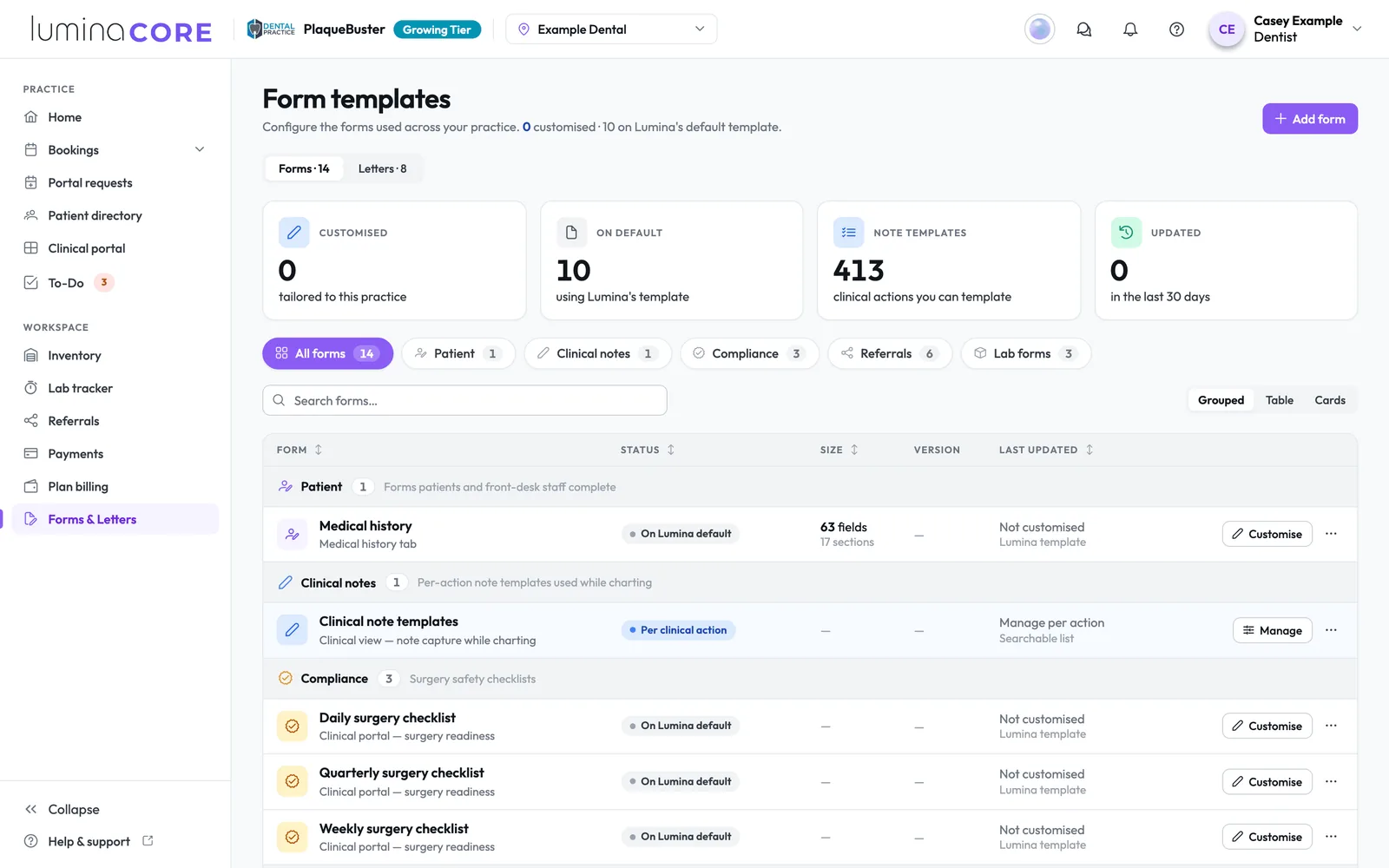
One place for every form.
Medical history
Completed in the Portal, on a practice tablet or in the chair, and the only form that raises flags.
Surgery checklists
Daily, weekly and quarterly checks on the Clinical portal's Checklist button.
Clinical note templates
One template per clinical action, ready when a clinician opens that action's notes.
Referral forms
Default, implant, orthodontic, oral surgery and CBCT scan questions for referrers.
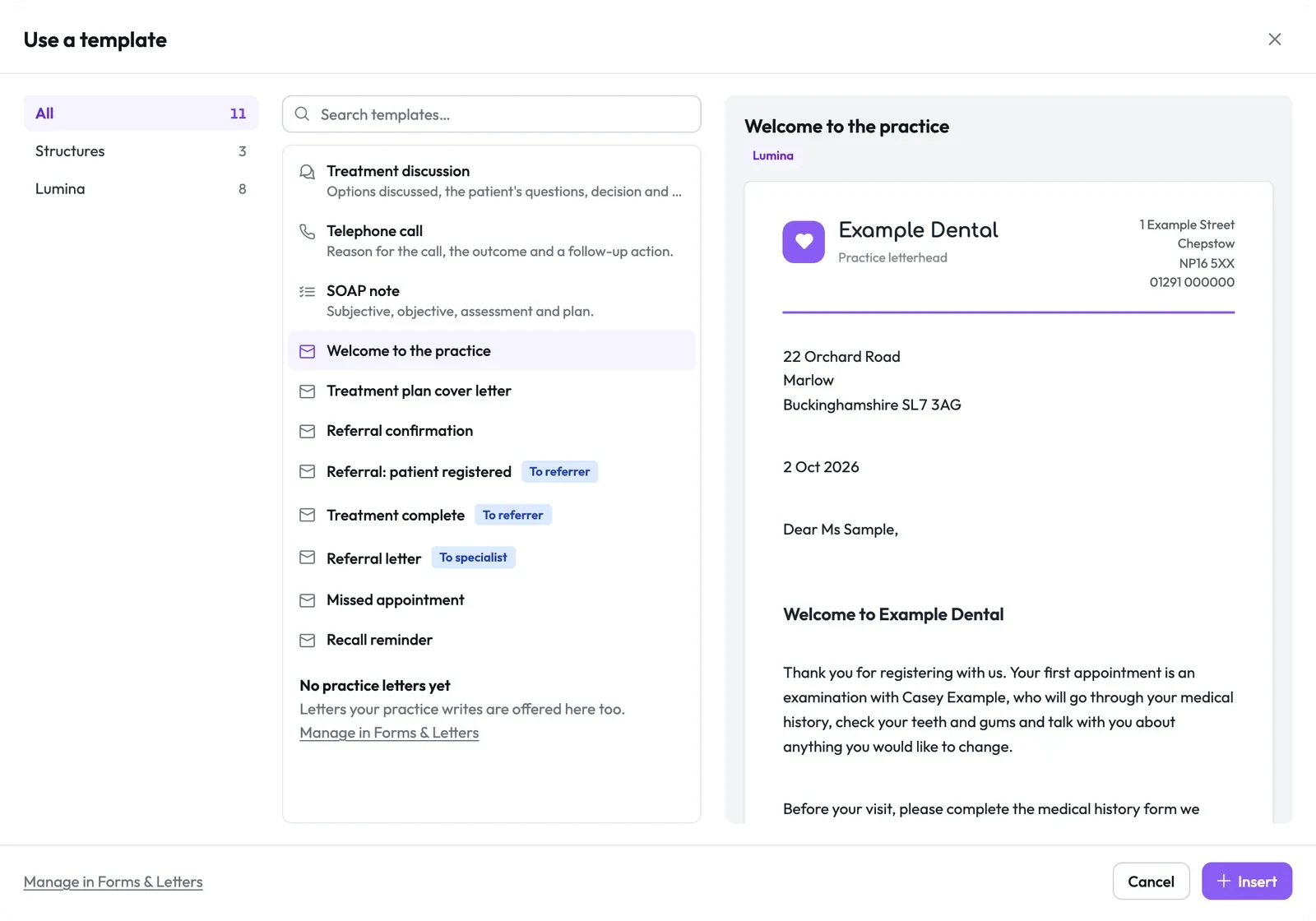
Letters that fill from the record.
Insert a template in the patient's Notes and the name, dates, address and referral details fill in, with any missing detail marked so it cannot be published until fixed.
- 4.1To anyoneThe patient, the referrer, the specialist or anyone else, with an X-ray or photo where the letter needs one.
- 4.2A PDF on your letterheadPublish to Documents & Imagery with your logo and footer line, and each edit makes a new version.
- 4.3Email, print or shareEmail the PDF, print it or share it to the patient's Portal, and the letter text never sits in the email.
Works with medical history, documents and lab orders.
Medical history
Your form, versioned on every submission and approved with a clinician's signature.
In depthDocuments and imaging
Published letters sit beside X-rays, photos and scans, shared with the patient when you choose.
In depthLab order forms
Each lab's order form for each type of work is kept on the case in the Lab tracker.
In depthBring your paperwork into Lumina.
Forms & Letters is part of Lumina Core on every plan, and the AI Assistant uses your organisation's AI allowance.