
FeaturesOnline booking PortalAdminCore
Your own booking page for new patients.
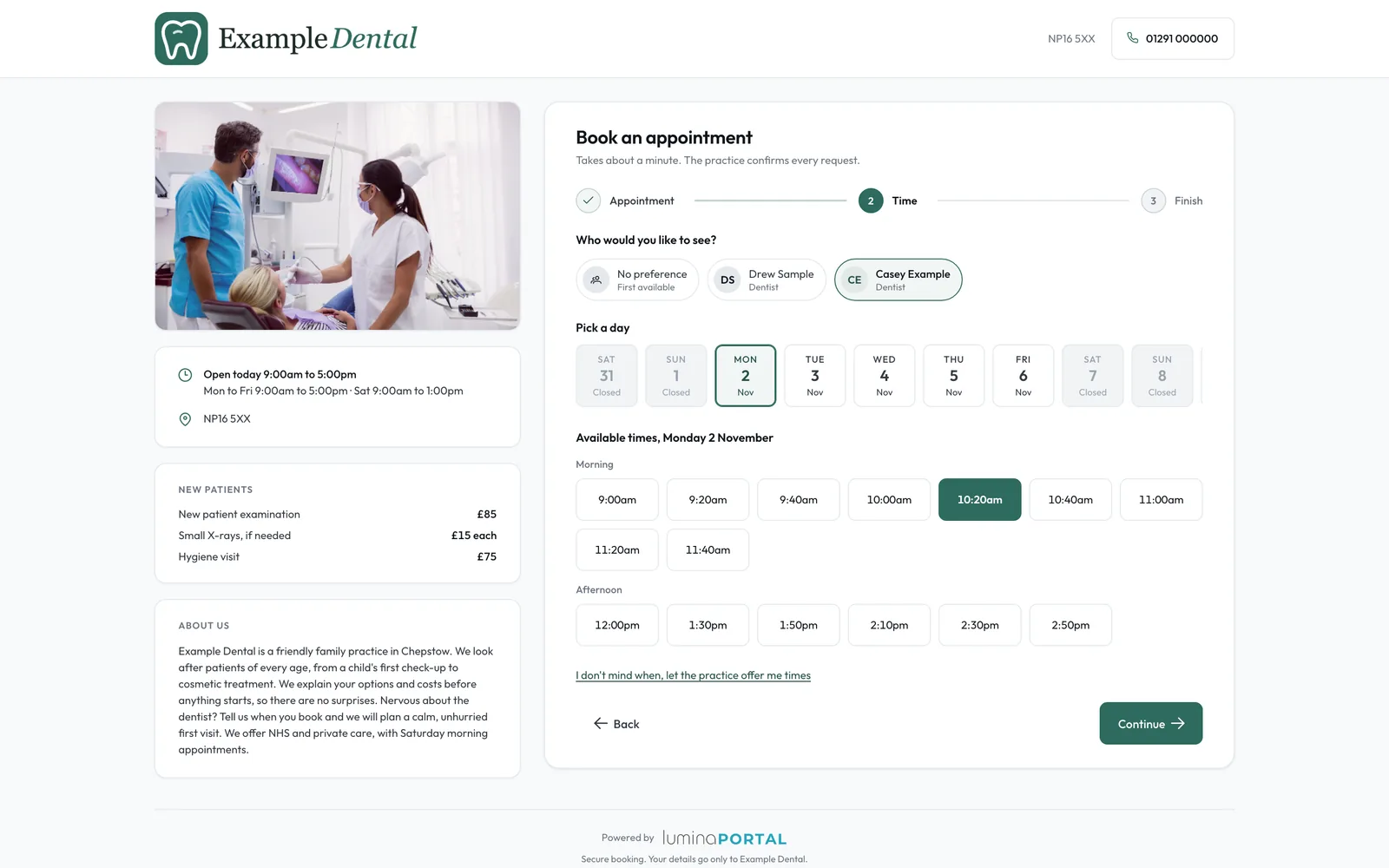
Share a booking link in your practice's brand, with your logo, photo, description, new-patient fees and rating, and approve each request before anything reaches the diary.

In your practice's brand.
Add your logo, photo, accent colour and description, with a duration, price and new-patient line for each appointment type, and put the link on your website, emails or social media.
- 1.1Times from your live diaryOnline times come from your opening hours, rota and surgeries, so patients only see real gaps.
- 1.2Your rating, once it means somethingYour Lumina rating from patient feedback shows once you have 20 reviews.
- 1.3Landing page or straight to bookingOpen on your description, photo and fees, or go straight to the appointment picker.
Nothing is booked until you approve.
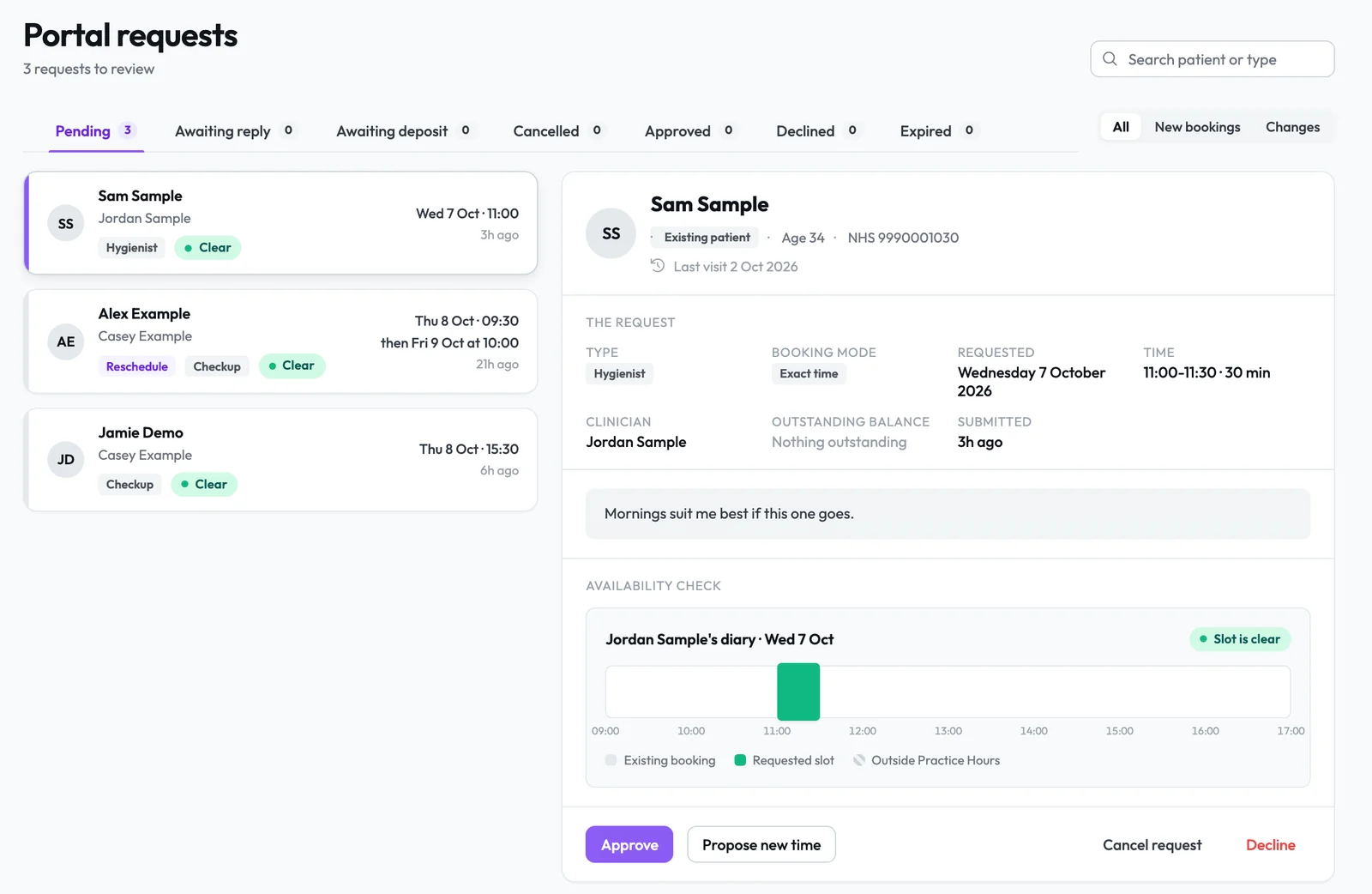
New patients pick an exact time or the days and times that suit them, confirm by email, and approving in Core creates their record and Patient Portal account.
- 2.1See the slot before you approveEach request shows the clinician's diary for the day, so reception can approve, propose a new time or decline.
- 2.2Your booking rulesChoose the bookable types, a minimum notice in hours and how far ahead patients can book, up to 365 days.
- 2.3Existing patients tooPatients in the Portal request, move or cancel, and cancellations outside your notice period can go through without staff.
Deposits that hold the slot.
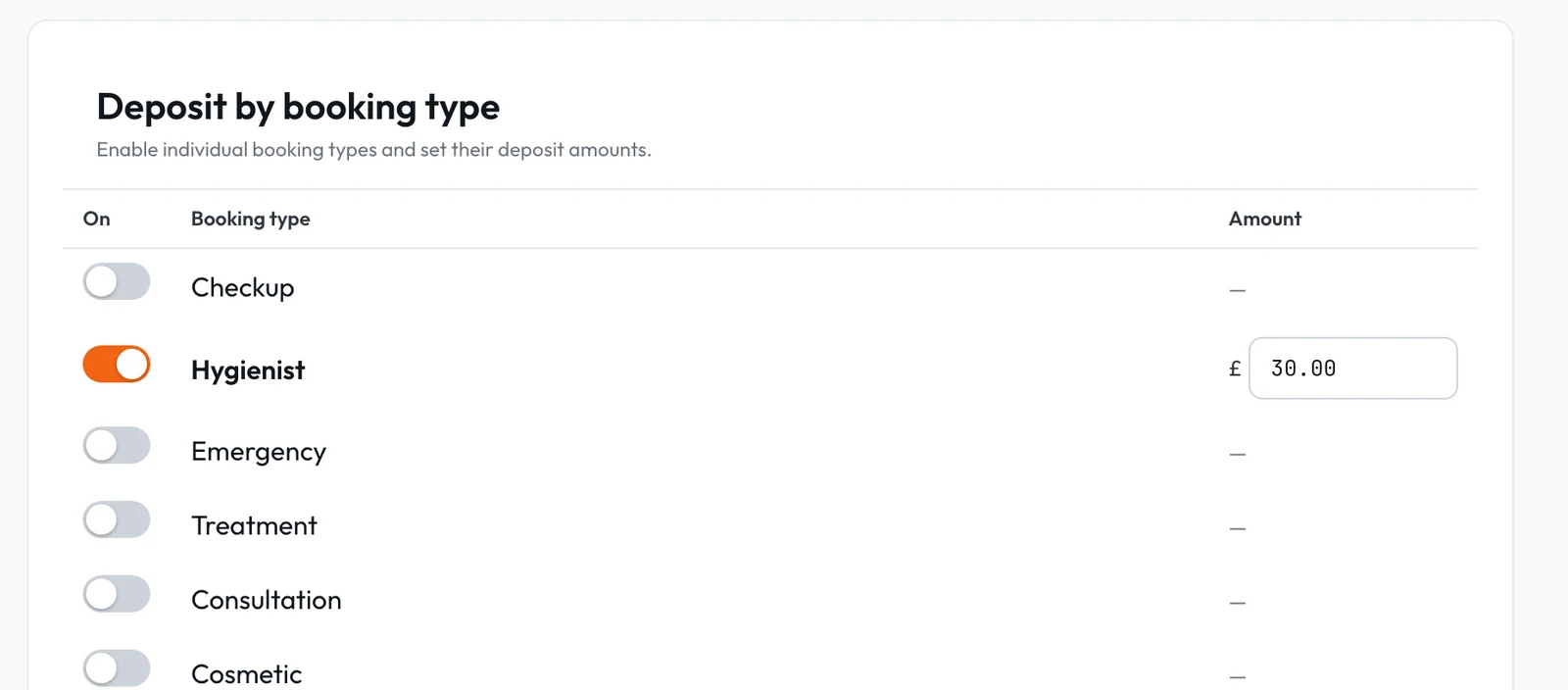
Ask for a deposit per appointment type under your own terms, and the slot is held for 24, 48 or 72 hours, or a time you set, then released if unpaid.
- 3.1Your four policies shown firstPatients read your deposit, refund, late cancellation and no-show terms before they pay by card.
- 3.2Waive it for NHS patientsManagers tick Waive the deposit for this booking and give a reason.
- 3.3Apply, refund or retainPut a paid deposit toward the bill, refund it to the patient's card, or retain it under your terms with a reason.
From first visit to returning patient.
Lumina Portal
Once approved, the patient books, confirms, completes forms and pays in the Portal.
Lumina PortalReviews
Feedback from completed visits builds the rating new patients see.
Reviews and feedbackAttendance rules
Signal rules can put a patient on Deposit required after repeated missed or late-cancelled appointments.
ComplianceLet new patients find you and ask.
The public booking page, portal requests and deposits are set per practice in Lumina Admin.