
FeaturesReviews and feedback AdminPortal
Reviews from real visits, on your own website.
Patients rate each completed visit in the Patient Portal, you reply in Lumina Admin, low scores raise a task, and the reviews you choose go on your website.

Only from completed visits.
Patients pick one to five stars and tags such as Friendly team, add a comment, and after three stars or fewer can ask the practice to contact them.
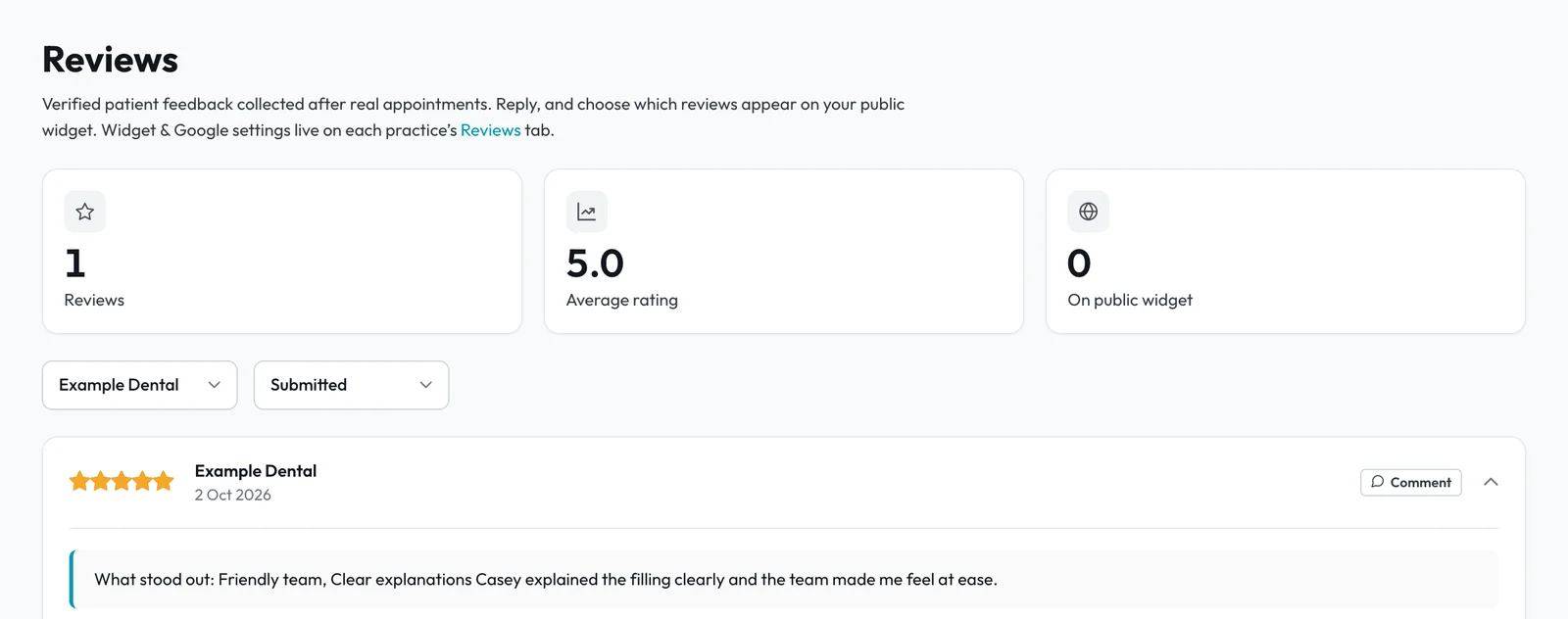
Low scores become tasks.
A score at or below your threshold, two stars to start with, or any written comment raises a To-Do task, so someone follows up while the visit is fresh.
- 2.1Reply or add an internal noteReply to the patient, who gets an email saying you replied, or add a note only your team sees.
- 2.2Contact requests stand outA Contact requested label marks every patient who asked to hear from you.
- 2.3Across the groupFilter reviews by practice, or read every practice together.
Your rating on your website.
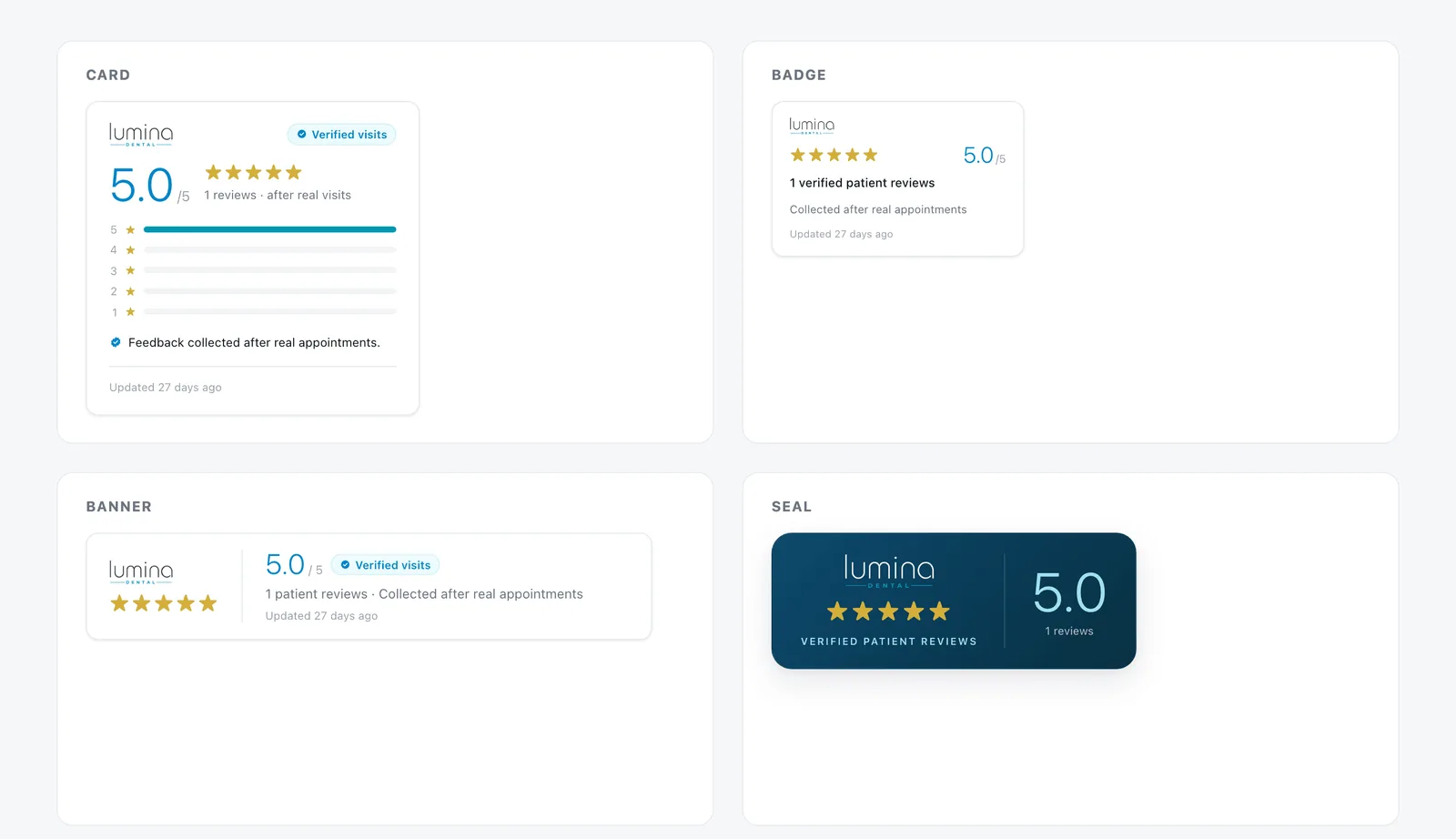
Switch on the review widget, copy one line of code or an iframe, and show your rating as a card, badge, banner or seal in a light, dark or auto theme.
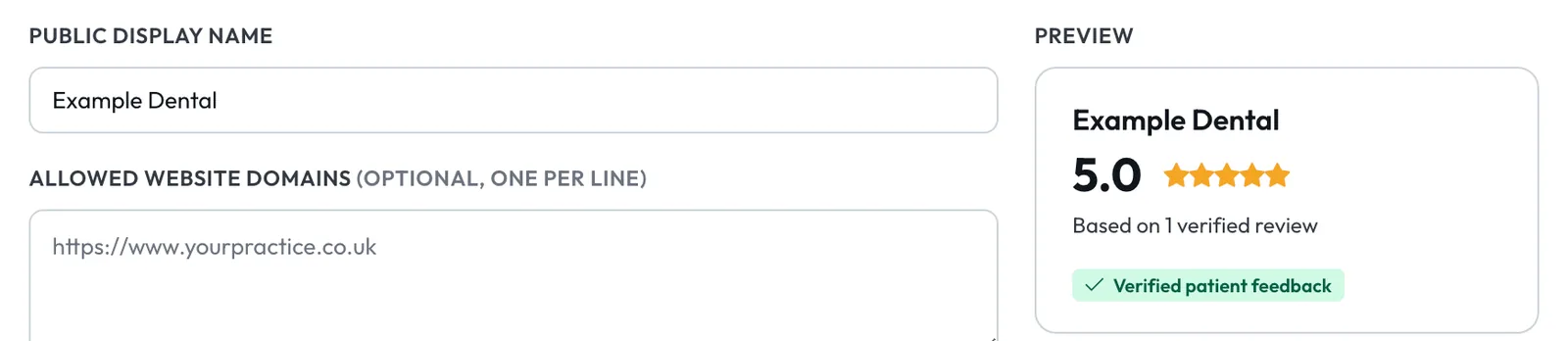
- 3.1The reviews you choosePromote a review with a comment to show its stars and words, never the patient's name.
- 3.2Your website onlyLimit the widget to your own website addresses.
- 3.3On your booking pageYour Lumina rating shows on your public booking page once you have 20 reviews.
Part of the patient journey.
Asked in the Portal
"How was your last visit?" appears on the patient's Portal home after each completed visit.
Patient PortalBooking page rating
New patients see your rating beside your photo, fees and opening hours.
Online bookingTo-Do
Feedback tasks go to the person you choose, with a due date and escalation if nobody acts.
To-DoShow patients what others say.
Reviews, the widget and feedback tasks are part of Lumina Admin and the Patient Portal.